
How to send crypto to another wallet
Short answer
Tap Send, choose the coin, paste the wallet address and pick the network. Read the safety message, enter the amount and check the confirm screen. Tap Proceed to send. Funds sent to the wrong address or network may be lost.
Video guide coming soonFollow the steps below for now.
Step by step
Step 1
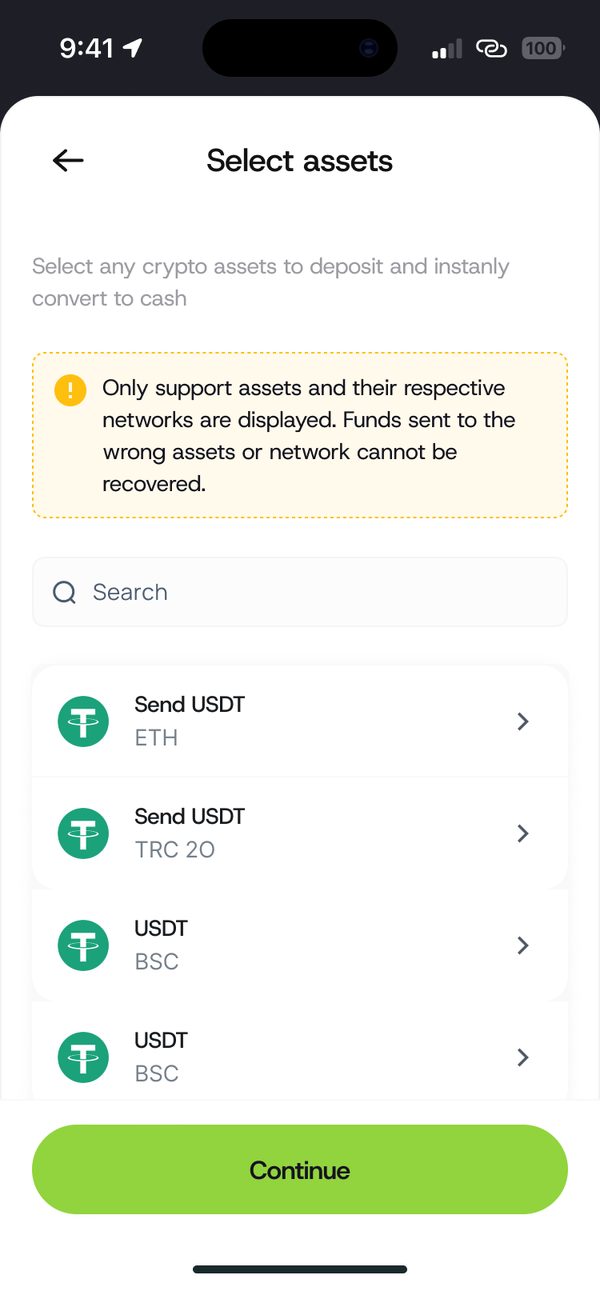
Choose the asset
Select the coin you want to send.
Step 2
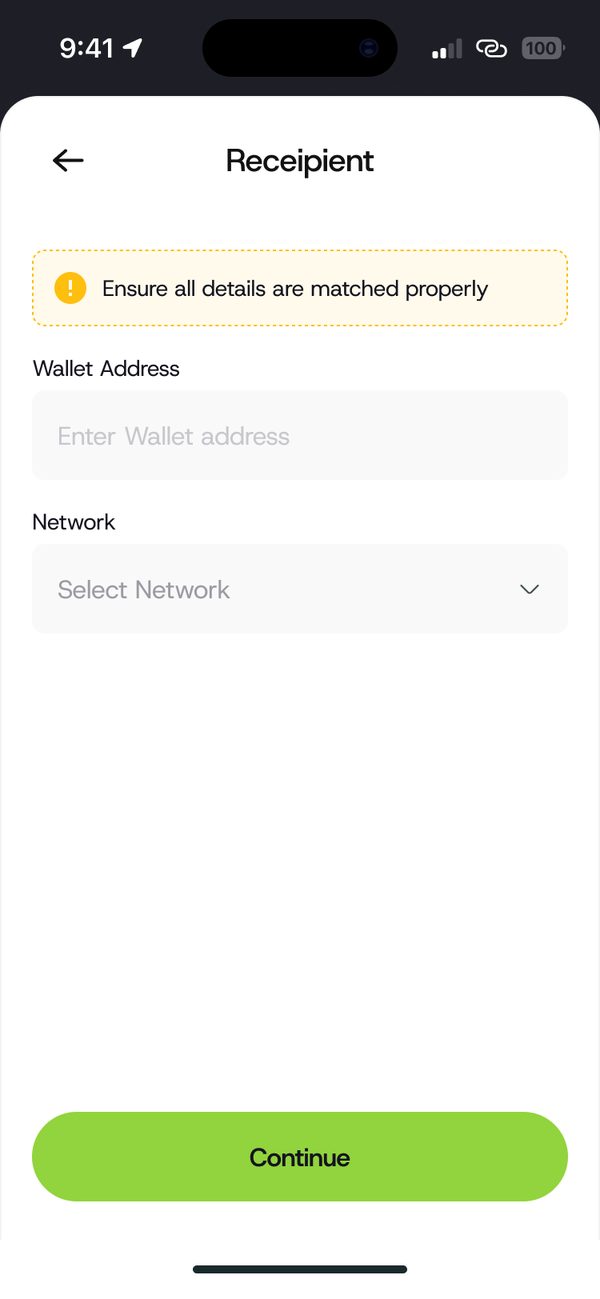
Add the recipient
Paste the wallet address and select the network.
Step 3
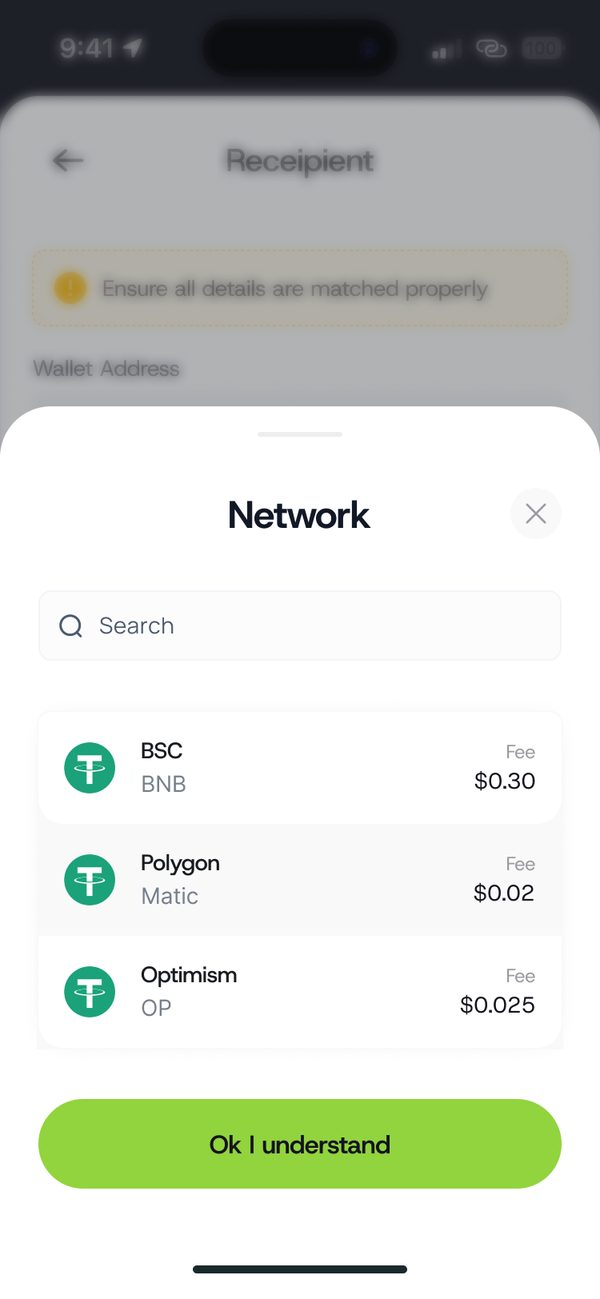
Pick the network
Choose the network. Each one shows its fee.
Step 4
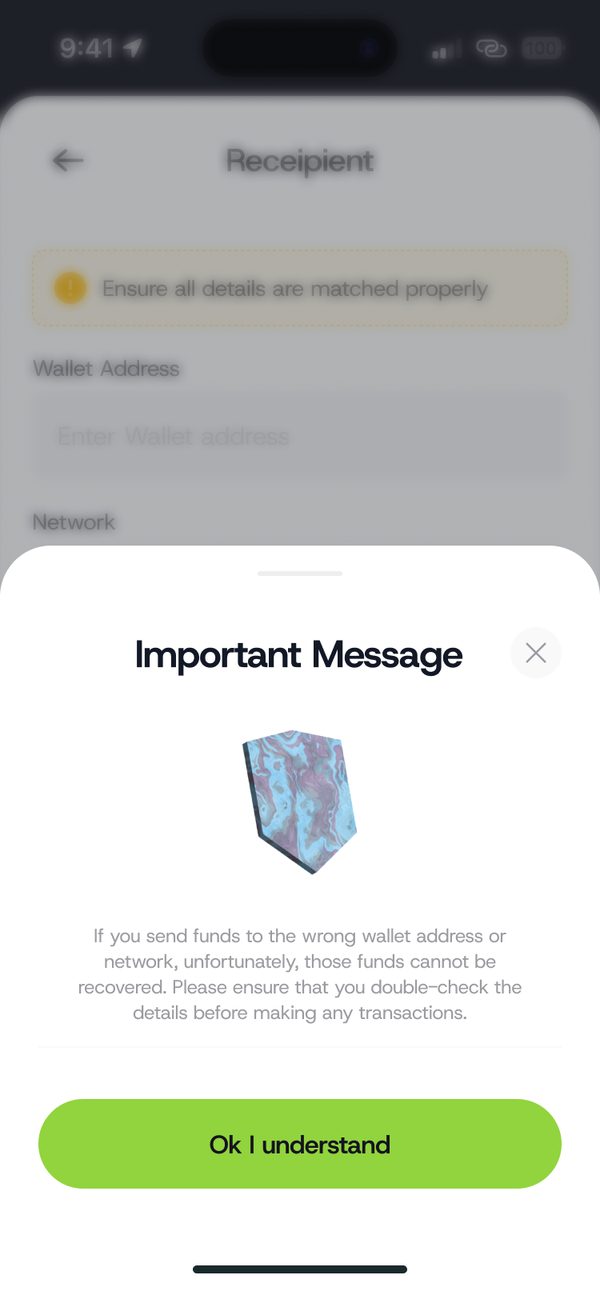
Read the warning
Make sure the address and network match. Tap Ok I understand.
Step 5
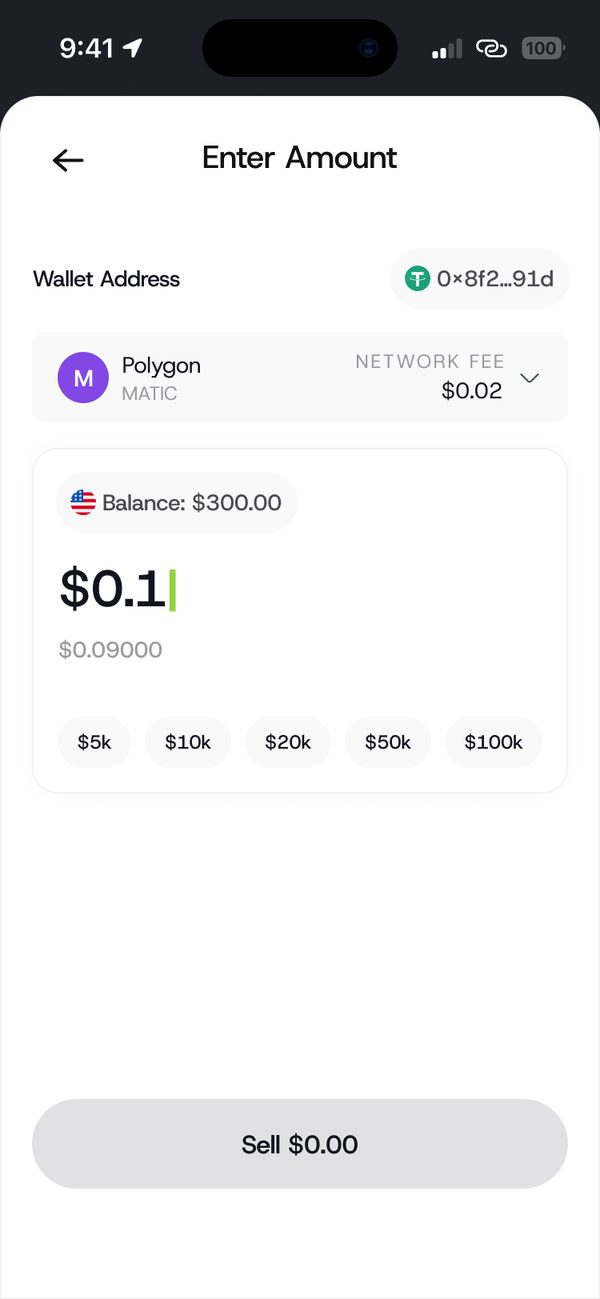
Enter the amount
Type or pick the amount to send.
Step 6
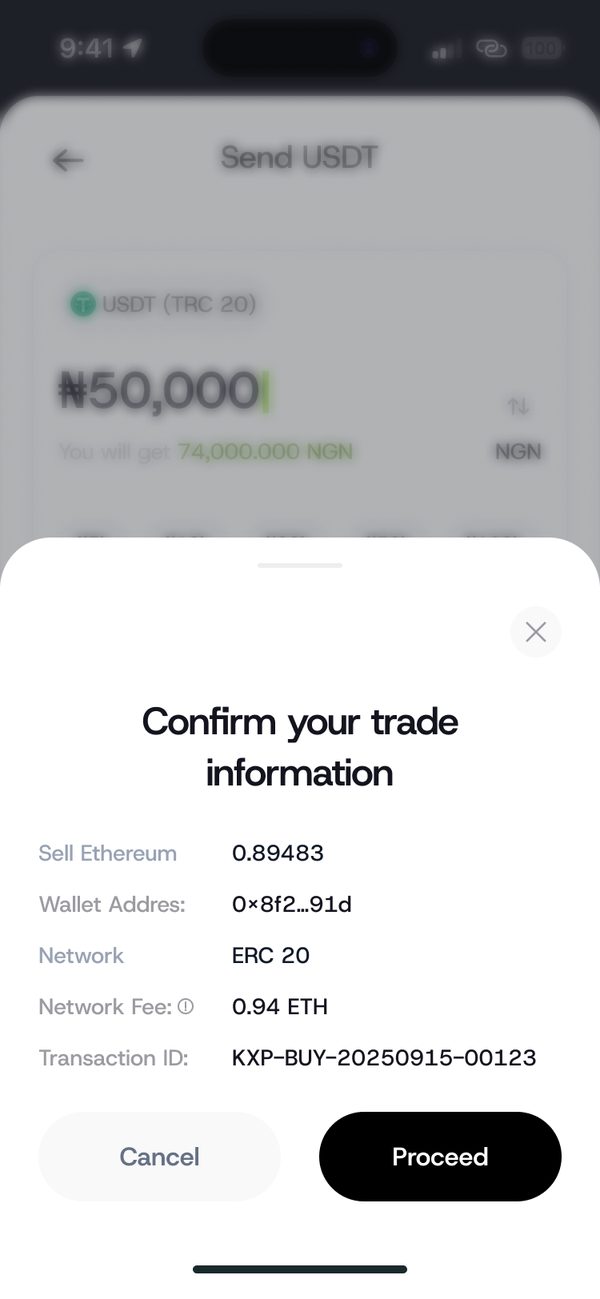
Confirm and send
Check the wallet address, network and fee, then tap Proceed.
If something goes wrong
- Wrong address or network: these cannot be reversed. Always double check.
Was this article helpful?
Still need help?
Chat with us. A real person will pick it up.