
How to buy crypto on KnoxxPay
Short answer
Tap Buy Crypto, pick the coin and network, enter the amount in Naira and check the summary. It shows what you will receive and the fees. Tap Pay and the crypto lands in your crypto wallet.
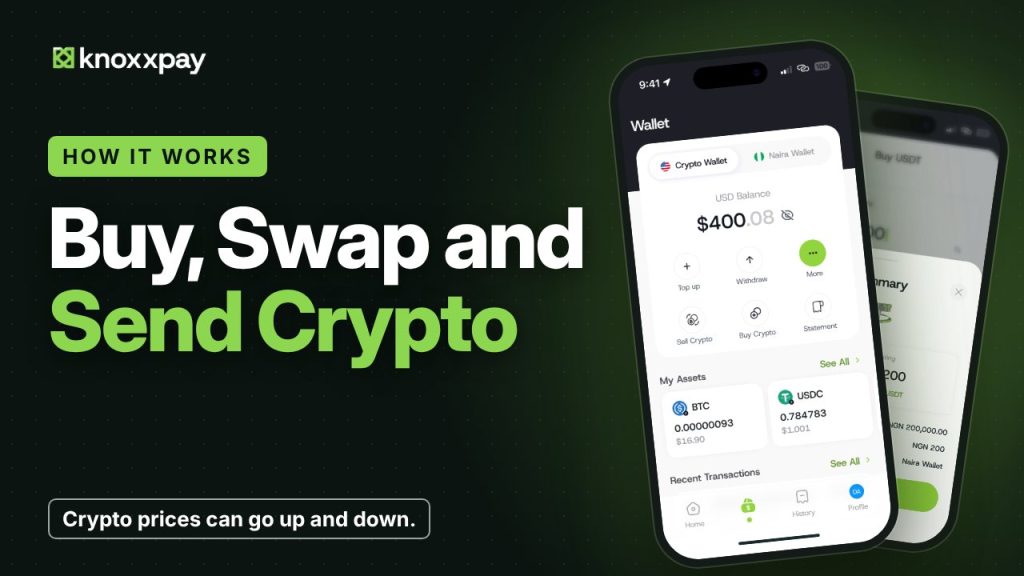 Video guide coming soonFollow the steps below for now.
Step by step
Step 1
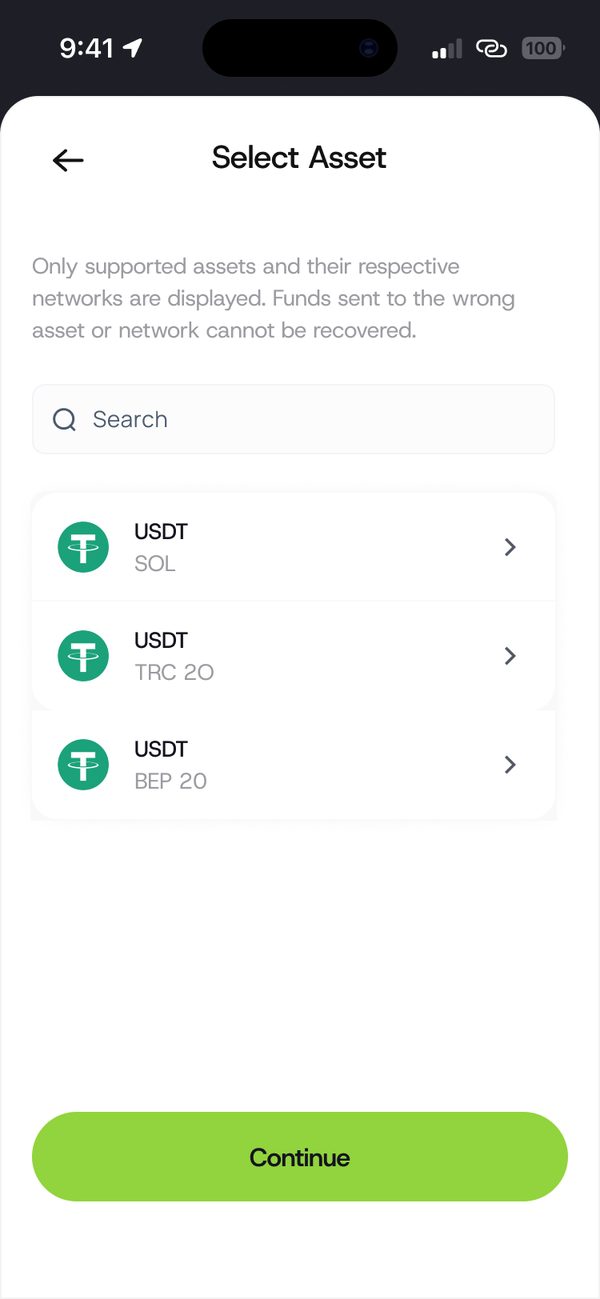
Select the asset
Choose the coin and network. Only supported networks show.
Step 2
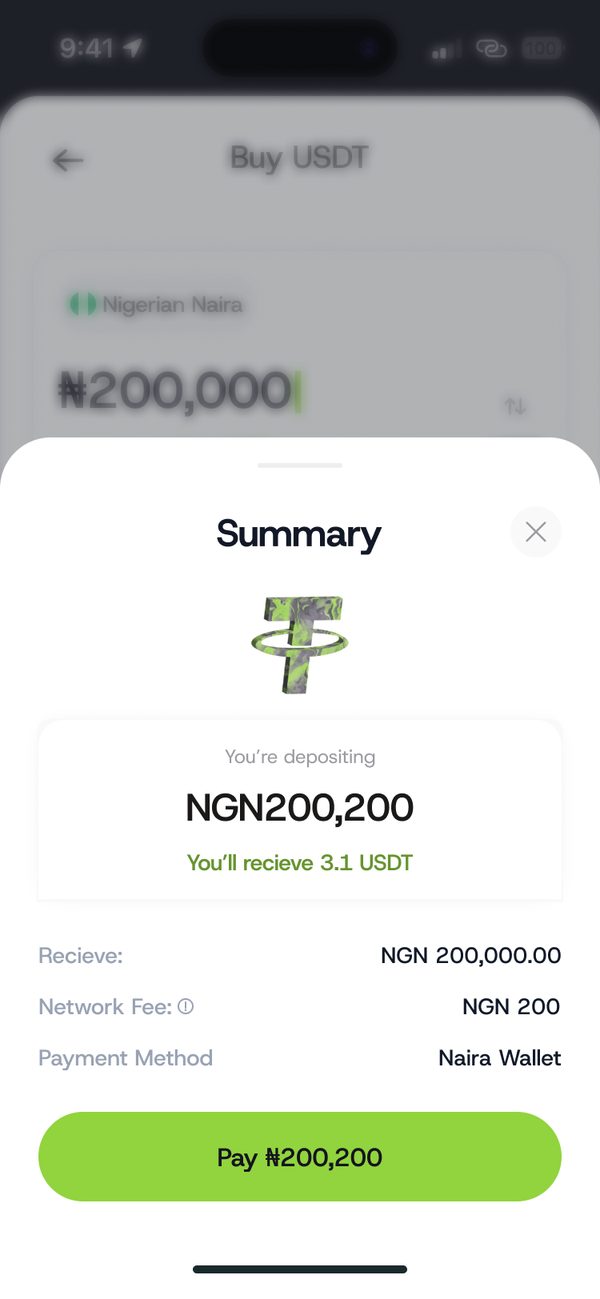
Check the summary
See what you pay in Naira, what you receive and the fees, then tap Pay.
Step 3
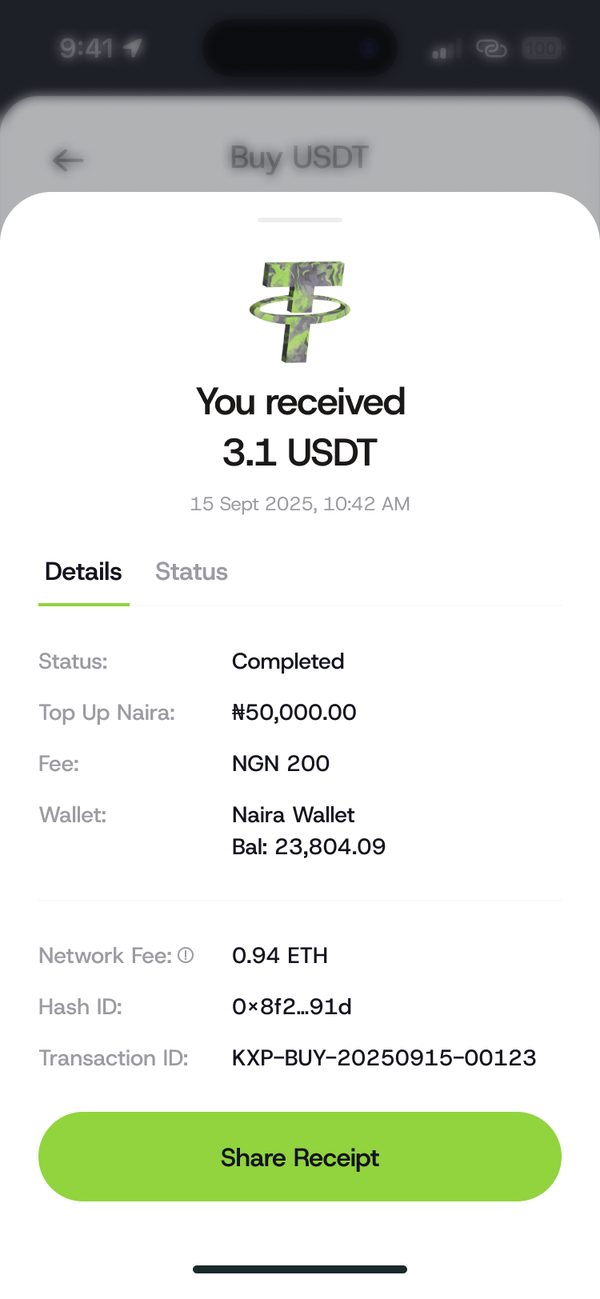
Done
You see You received with the details. Tap Share Receipt if you need it.
If something goes wrong
- Crypto prices go up and down. Only trade what you can afford to lose.
Questions people ask
Can I see the fees before I buy?
Yes. The summary shows the fees before you pay.
Was this article helpful?
Still need help?
Chat with us. A real person will pick it up.