
How to find a past gift card trade
Short answer
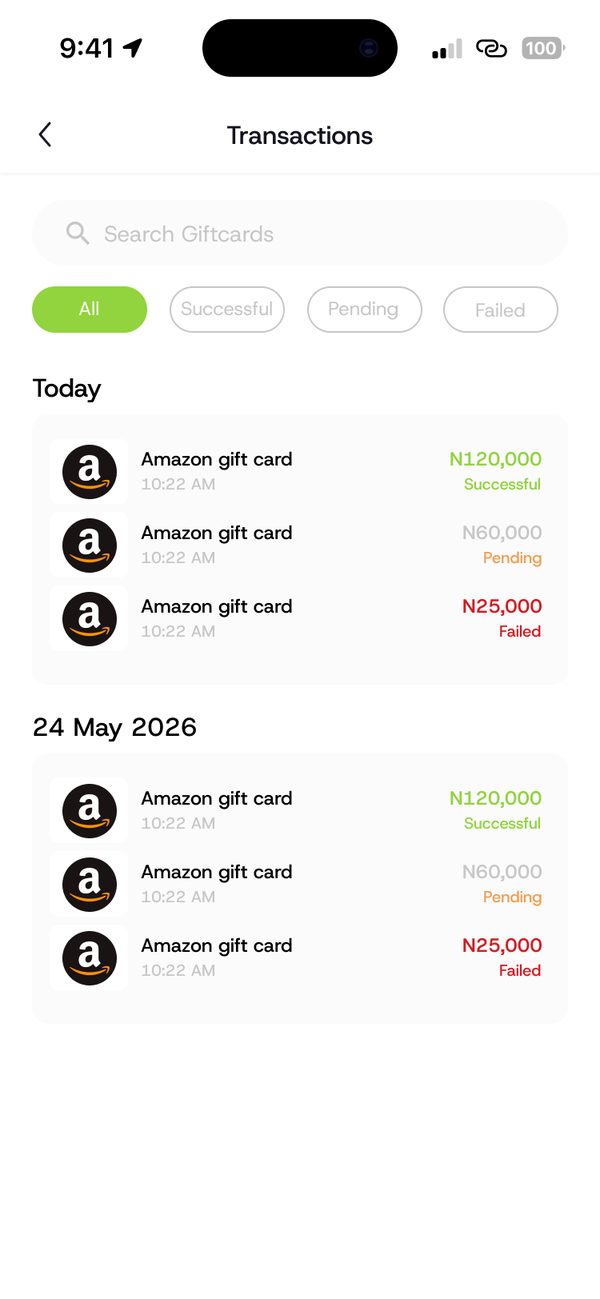
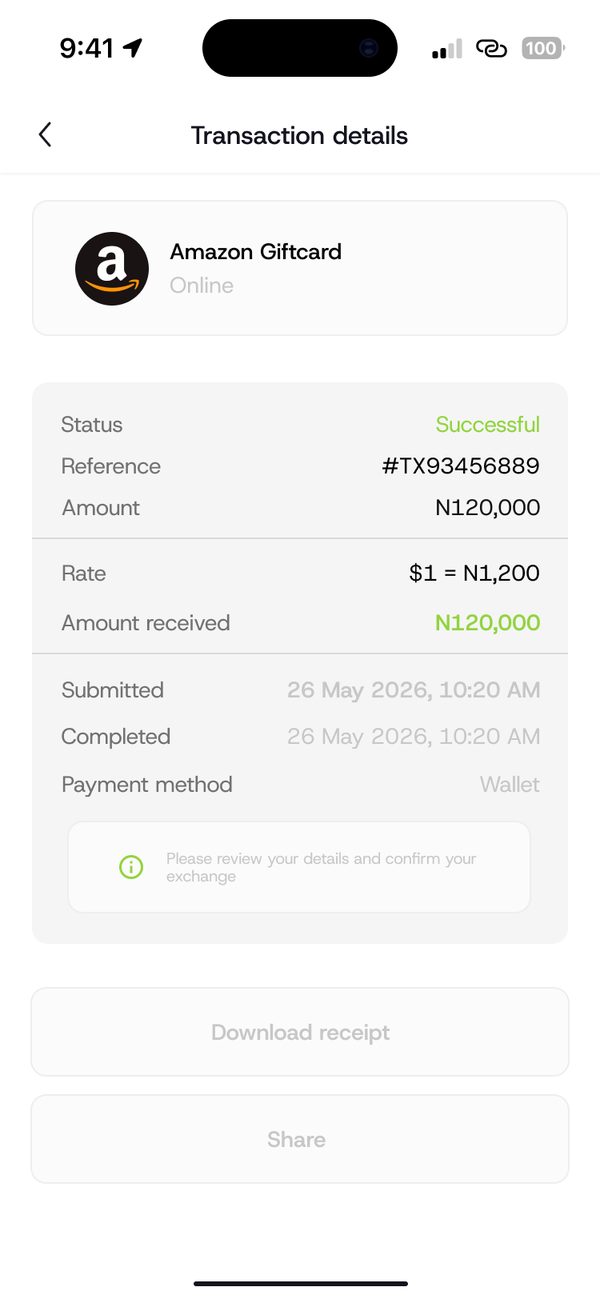
Open Transactions in the Gift card section. You can filter by All, Successful, Pending or Failed. Tap any trade to see its status, reference, amount, rate and what you received.
Video guide coming soonFollow the steps below for now.
Step by step
Step 1
Open Transactions
In Gift cards, open Transactions. Use the tabs to filter by status.
Step 2
Open the trade details
Tap a trade to see its reference, rate, amount received and dates.
Questions people ask
Can I download a receipt?
Yes. Trade details include a Download receipt option.
Was this article helpful?
Still need help?
Chat with us. A real person will pick it up.