
How to receive crypto into KnoxxPay
Short answer
Open your crypto wallet, tap Top up and pick the coin and network. Copy your wallet address or share the QR code. Only send that coin on that network, and check the minimum deposit shown, or funds may be lost.
Video guide coming soonFollow the steps below for now.
Step by step
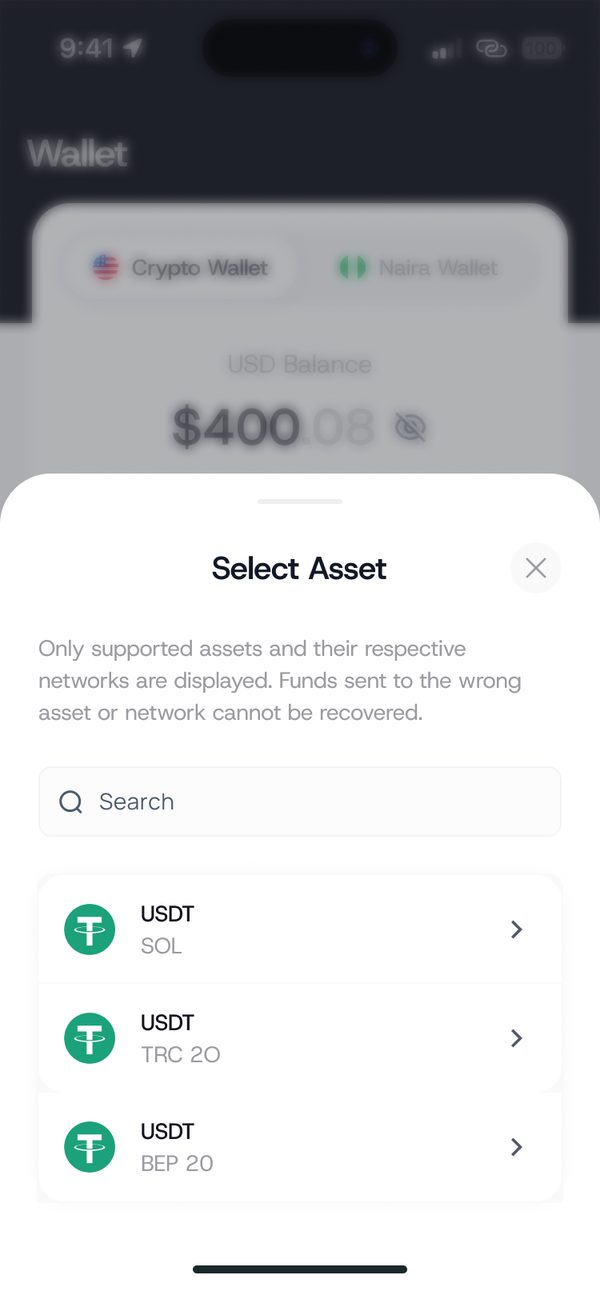
Step 1
Pick the coin and network
Tap Top up and select the asset and network.
Step 2
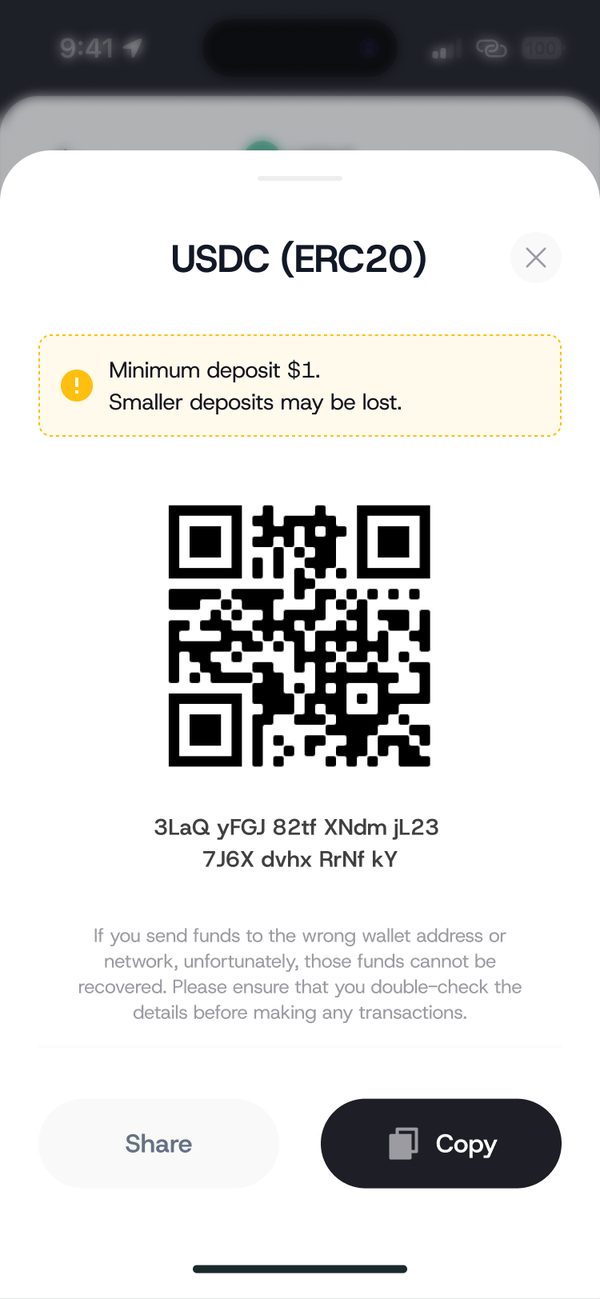
Share your address
Copy the address or share the QR code with the sender.
Step 3
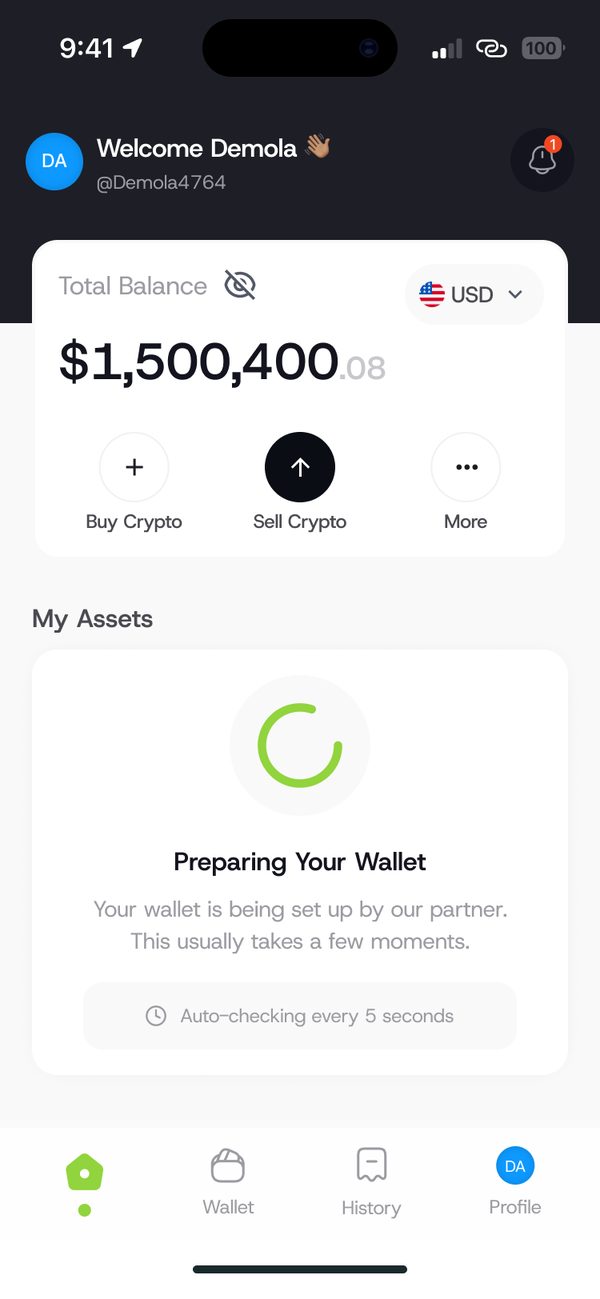
First time only
Your wallet may take a few moments to prepare. The app checks automatically.
If something goes wrong
- Wrong network: crypto sent on the wrong network may be lost.
- Below the minimum: smaller deposits than the minimum shown may be lost.
Was this article helpful?
Still need help?
Chat with us. A real person will pick it up.