
Gift cards
How to Check Your Apple Gift Card Balance (and What to Do Next)
Quick answer: To check an Apple gift card balance, first know your card type. For an Apple Store Gift Card, use the balance website printed on the back. For an Apple Gift Card or App Store Card, Apple’s balance page asks you to sign in. Once a card is redeemed, the money shows as your Apple Account balance in the App Store.
Someone sends you an Apple gift card, or you find one in a drawer, and you want to know what is left on it. The quick fix many people try is to redeem it on their iPhone and look at the balance. That works if you plan to spend it on apps. If you want to sell the card for Naira, it is the one step that ruins it.
This guide shows the safe ways to check an Apple gift card balance, and what to do before you sell or use the card.
How do you check an Apple gift card balance?
How you check an Apple gift card balance depends on the type of card and whether it has been redeemed. Apple’s own help page sends you to its balance page for unredeemed cards and to your Apple Account for redeemed ones. This table puts the options side by side, from Apple’s help pages, checked on 23 November 2026.
| Your situation | Where to check | What you need | Is the card still unused after? |
|---|---|---|---|
| Unredeemed Apple Gift Card or App Store Card | Apple’s gift card balance page (linked from Apple Support) | An Apple Account sign-in (it asked for this first when we checked) | Yes, checking is not redeeming |
| Apple Store Gift Card (grey, white, silver or gold) | The balance website printed on the back of the card | The details on the back of the card | Yes |
| Card already redeemed | App Store on iPhone, iPad or Mac, or Apple Music / Apple TV on Windows | The Apple Account it was redeemed to | No. The value now sits in that Apple Account |
| Card someone emailed to you | Open the email; the “Redeem Now” button redeems it | The email | Yes, until you tap Redeem |
When we opened Apple’s balance link on 23 November 2026, it went to an Apple Store sign-in page first. So have your Apple Account email and password ready before you start.
Which type of Apple gift card do you have?
Apple sells three main types of card, and each one checks and spends a little differently. Look at the front of the card before you do anything else.
| Card type | How it looks (Apple’s description) | What it is for |
|---|---|---|
| Apple Gift Card | Colourful Apple logo on a white background | Apple Store, apple.com, App Store, apps and subscriptions like Apple Music or iCloud+ |
| App Store Card / App Store & iTunes Gift Card | Mostly blue with a pattern | Apple Account purchases: apps, games, subscriptions |
| Apple Store Gift Card | Solid grey, white, silver or gold | Apple Store or apple.com only. It cannot be redeemed in the App Store |
Older cards, like iTunes Store or Apple Music gift cards, still work. Apple says to follow the steps printed on the back.
Two more details from Apple help you avoid errors. The redemption code is the 16-digit code that starts with “X”. The serial number (it can start with GCA, PBH or EPY) is a different number, and you only need it if you contact Apple Support.
How do you check your Apple Account balance after redeeming?
Once you redeem an Apple gift card, the money leaves the card and becomes your Apple Account balance. These are Apple’s steps for each device.
- iPhone or iPad: open the App Store and tap your photo, initials or the My Account button. Sign in if asked. If you have a balance, the amount shows below your name.
- Mac: open the App Store. Click Sign In at the bottom of the sidebar if you see it. Your balance shows below your name.
- Windows PC: open the Apple Music app or Apple TV app, then click your name or Sign In at the bottom of the sidebar. The balance shows below your name.
- Wallet app: in some countries you can also see your balance on the Apple Account card in Wallet on iPhone.
If you see no amount, Apple says you have no balance. If the number looks wrong, sign out of the App Store, sign back in and check again. Then look at your purchase history, because a subscription may have renewed and used the money.
Does checking the balance redeem the card?
No. Checking the balance on Apple’s balance page or the website on the back of the card does not use up the card. Redeeming does. When you tap Redeem in the App Store, the full value moves into the Apple Account you are signed in to, and the code is spent.
That has two results you cannot undo:
- Apple says you cannot cash out Apple gift cards or unused Apple Account balance, except where the law requires it.
- Anyone you try to sell the code to later will see it as already used.
On KnoxxPay, a card that was already redeemed fails verification, and the app tells you the reason.
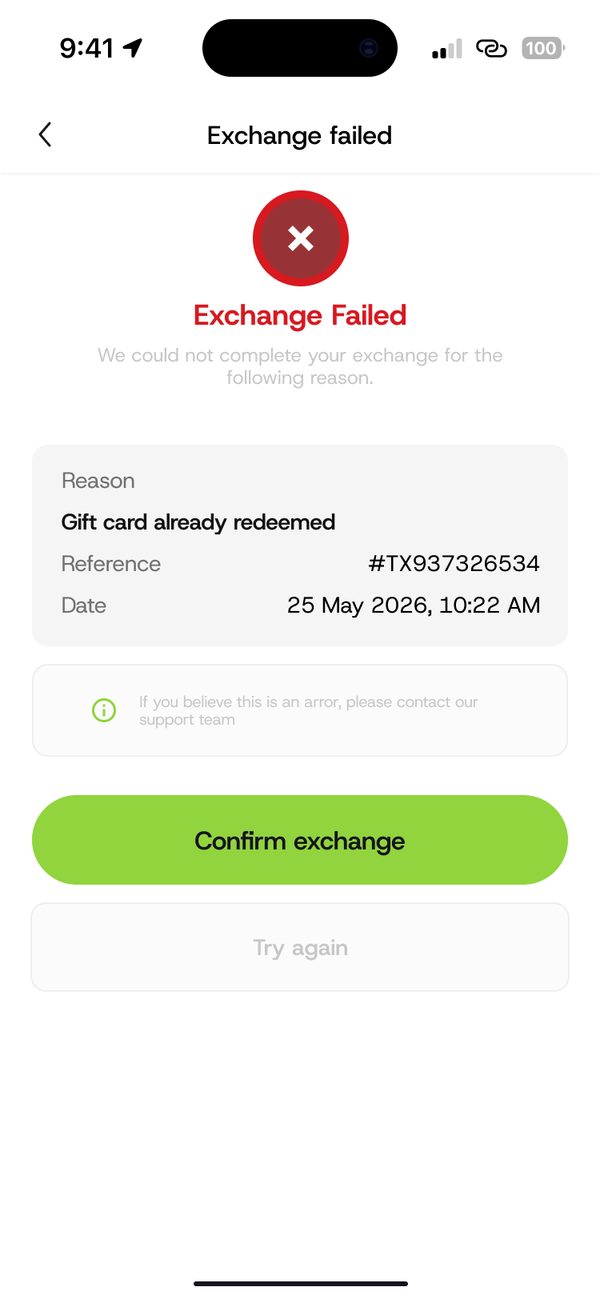
So the simple rule is this. If you might sell the card, check it without redeeming it, or do not check it at all. If you will spend it on apps and music yourself, redeem it and read your Apple Account balance.
Why does Apple say the card has already been redeemed?
Apple lists a few common messages when a card will not redeem. Here is what each one means, in plain words.
| Message | What it usually means | What Apple suggests |
|---|---|---|
| Card has already been redeemed | It may already be on your account | Sign out of the App Store on all devices, sign back in, then check your balance |
| Card is not valid | Wrong card type or a typing mistake | Make sure it is not an Apple Store Gift Card; type the X code by hand and watch for look-alike characters like 0 and O, 5 and S, B and 8 |
| Card is not activated | The shop did not activate it at sale | Go back to the retailer that sold it |
| Must be redeemed in a different country or region | The card was bought for another country | Apple cards only redeem in the country or region of purchase |
That last point catches many people in Nigeria. A card bought for the United States works with a US Apple Account, not with an account set to another country. Check the country on the card or the receipt before you redeem or sell it.
What can you do with an Apple gift card you don’t need?
You have three honest options: spend it on Apple apps and subscriptions, give it to someone who uses an Apple Account in the same country, or sell it for Naira. If you choose to sell, do it before anyone redeems it.
On KnoxxPay you can sell gift cards for Naira, and Apple is one of the brands in the gift card list. These are the steps from our Help Center guide to selling a gift card:
- Open the KnoxxPay app and tap Gift cards, then pick Apple.
- Look at the current rate shown at the top, pick an amount and see what you will receive before you go on.
- Choose the card type (physical card or e-code). Upload clear photos of the front and back, then enter the card value and code.
- Check the amount, rate and what you receive, then tap Confirm exchange.
- Wait for verification. Our Help Center says this usually takes 1 to 5 minutes. Keep the page open.
- Once approved, the Naira goes into your KnoxxPay Naira wallet. If you also hold USDT, you can sell USDT for naira into the same wallet.
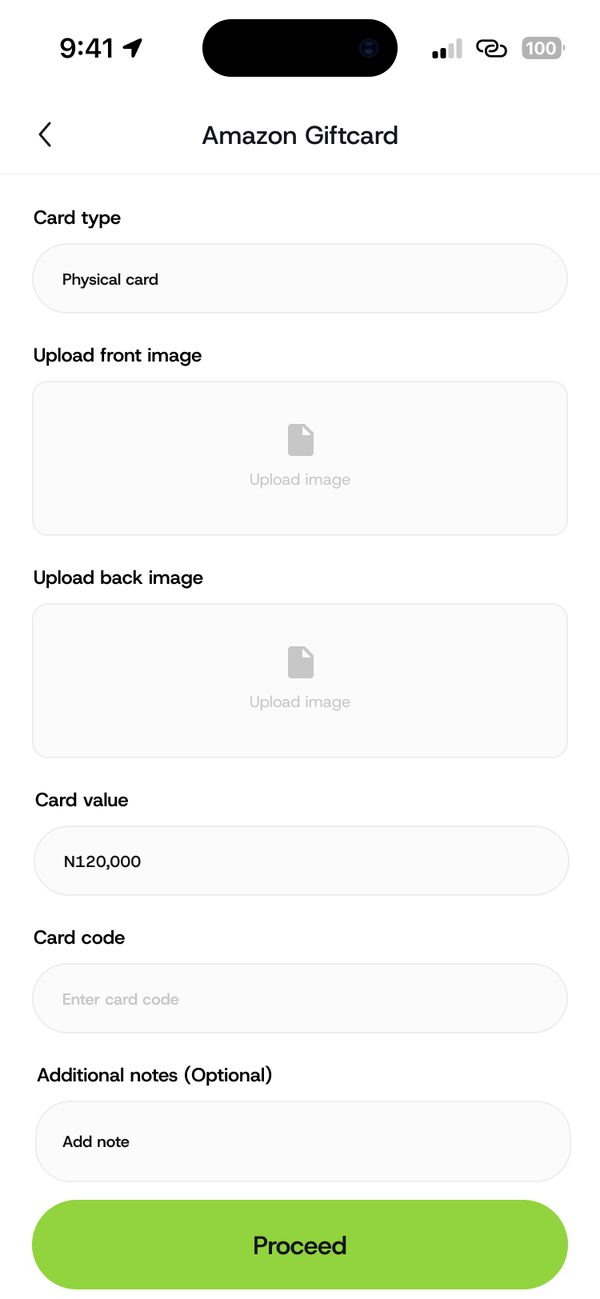
You can find every trade later under Transactions. If a trade fails, the failed screen shows why, and our guide on why a gift card trade fails explains the common reasons.
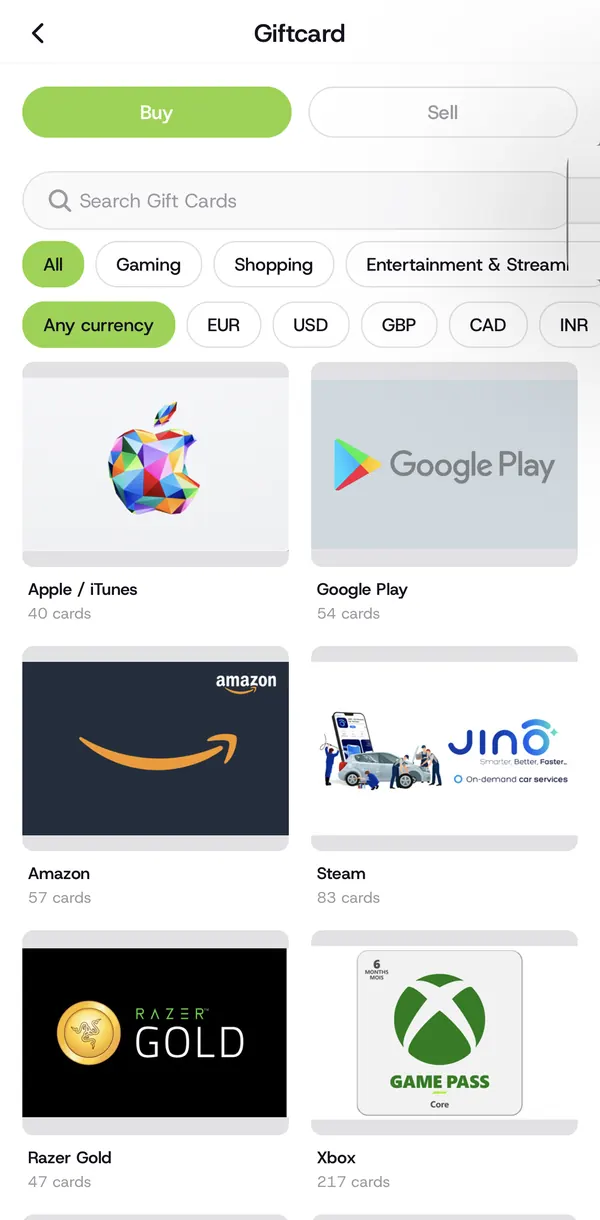
Need a card instead? You can also buy gift cards in the app and pay from your wallet.
What mistakes and scams should you watch for?
These are the mistakes that cost people the value of their card.
- Redeeming “just to see” the balance. If you plan to sell, this ends the sale. Check without redeeming.
- Paying bills or fees with Apple gift cards. Apple says its cards can only buy Apple products and services. Light bills, hospital bills, tax, visa and other government fees cannot be paid with them. If someone asks you to pay that way, it is a scam.
- Sending the code to a stranger. Apple warns that once a scammer has the numbers on the back, the money can be spent before you reach Apple or the police. Scams usually come with pressure: a call or message, panic, then a demand for the code.
- Mixing up the code and the serial number. The redemption code starts with X. The serial number is for Apple Support only.
- Uploading blurry photos or picking the wrong card type. On KnoxxPay, both can make a trade fail. Take the photos in good light with the full code in view.
Key takeaways
- Check your card type first: Apple Gift Card, App Store Card or Apple Store Gift Card.
- Checking a balance does not use up the card. Redeeming does, and Apple does not turn redeemed balance into cash except where the law requires it.
- Read a redeemed balance in the App Store under your name, or in Apple Music or Apple TV on Windows.
- Apple cards only redeem in the country or region they were bought for.
- If you want Naira, sell the card before anyone redeems it. On KnoxxPay you see the rate and your payout before you confirm.
Apple gift card balance: common questions
Can I check my Apple gift card balance without redeeming it?
Yes. Apple’s support page links to a gift card balance page for unredeemed cards, and Apple Store Gift Cards have a balance website printed on the back. When we checked on 23 November 2026, Apple’s balance page asked us to sign in to an Apple Account first.
Where do I see the balance after I redeem the card?
On iPhone, iPad or Mac, open the App Store and look below your name. On a Windows PC, open the Apple Music or Apple TV app and click your name. If no amount shows, you have no balance.
Can I sell an Apple gift card I have already redeemed?
No. Redeeming moves the value into your Apple Account and spends the code. On KnoxxPay, a redeemed card fails verification and the app shows “Gift card already redeemed” as the reason.
How do I sell an Apple gift card on KnoxxPay?
Tap Gift cards, pick Apple, check the rate and amount, choose physical card or e-code, upload the front and back, enter the value and code, then tap Confirm exchange. Once approved, the Naira goes into your KnoxxPay wallet.
Can someone ask me to pay a bill with an Apple gift card?
No real company or government office will. Apple says its gift cards only buy Apple products and services, so a request to pay bills, taxes or fees with them is a scam.
Sources: Apple Support, Check your gift card balance; Check your Apple Account balance (published 16 September 2026); What type of gift card do I have?; Redeem your Apple Gift Card (published 21 September 2026); If you can’t redeem your Apple Gift Card; About gift card scams (published 24 June 2026). KnoxxPay Help Center, How to sell a gift card on KnoxxPay and How long gift card verification takes. All checked on 23 November 2026.