
Crypto
How to Sell USDT for Naira in Nigeria (and Pick the Right Network)
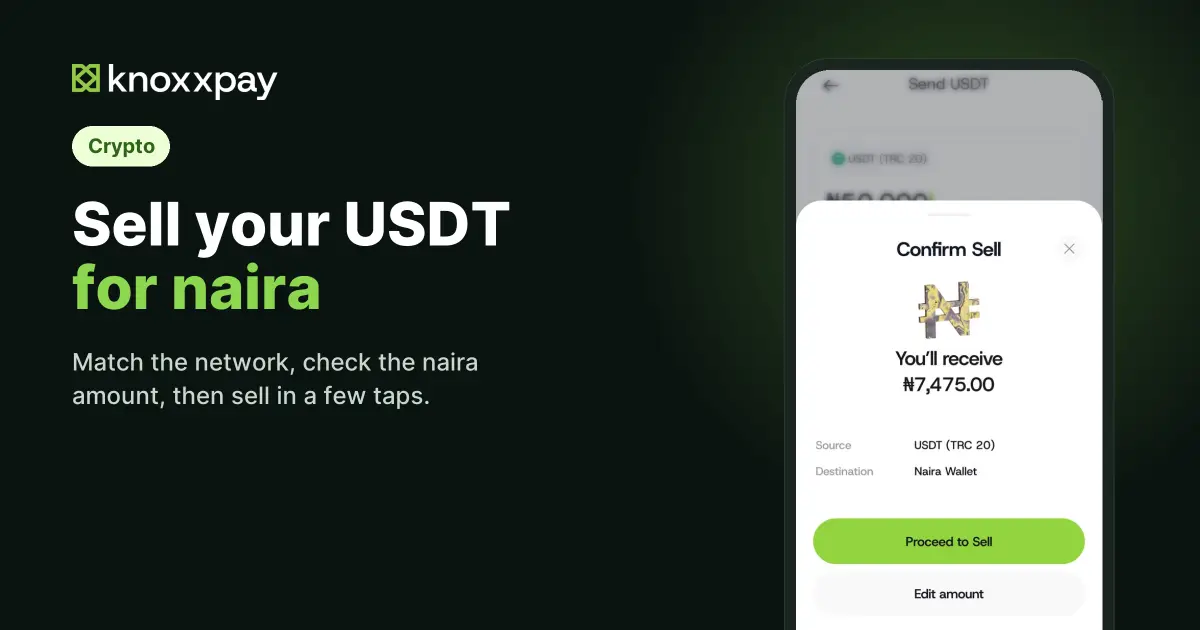
Quick answer: To sell USDT for naira in Nigeria, move your USDT into a wallet that can sell it, check the naira amount on the confirm screen, then sell. In the KnoxxPay app you tap Sell Crypto, pick USDT and the amount, check “You’ll receive”, and tap Proceed to Sell. The naira lands in your Naira wallet.
Someone paid you in USDT. Maybe a client abroad, maybe a friend who owed you. Now you need naira for rent, light and food, and every group chat has a different “plug” with a different story.
This guide shows how to sell USDT for naira step by step. It also covers the part most guides skip: picking the right network so your USDT arrives at all, and the traps that get bank accounts frozen when people sell to strangers.
How do you sell USDT for naira in Nigeria?
There are two common ways. You can sell inside an app that buys the USDT from you and pays naira into your wallet. Or you can sell peer to peer (P2P), where a stranger sends naira to your bank account and you release the USDT to them.
Both work. The difference is who pays you and what can go wrong. With an in-app sale, you see the naira amount before you confirm and the money comes from the app. With P2P, the money comes from a person you do not know, through a bank transfer you have to check yourself.
Which is safer: selling in an app or selling P2P?
Selling P2P is not wrong, but most of the risk sits with you, the seller. A March 2025 TechCabal report on Nigerian P2P traders described four problems that keep coming up. This table puts them side by side with an in-app sale.
| What can go wrong | Selling P2P to a stranger | Selling inside the app |
|---|---|---|
| Who sends you the naira | A buyer you do not know, from any bank account | The app pays your own Naira wallet |
| Payment reversed later | Possible. A buyer can tell their bank the transfer was “unauthorised” after you release the USDT | Not a buyer dispute: there is no buyer on the other side |
| Third-party or “glitch” money | Possible. Funds from someone else’s account, or money taken through a bank glitch, can get your account flagged or frozen | The naira comes from the app, not a stranger’s account |
| USDT stuck in escrow | Possible. A buyer opens a trade, delays payment and pressures you to release | No escrow wait for a buyer to pay |
| Price you get | You agree it with the buyer | Shown on the confirm screen before you sell |
If you still sell P2P, follow the rules careful traders use: only accept money from an account whose name matches the buyer’s profile, never release USDT because of a screenshot or an SMS, and check that the money has really landed in your bank app first.
Which USDT network should you use: TRC20, BEP20 or SOL?
USDT is not on one blockchain. Tether, the company that issues it, lists USDT on Tron (TRC20), Ethereum (ERC20), BNB Smart Chain, Solana, TON and several others. One USDT on one network equals one USDT on another, but the networks do not talk to each other.
So the rule is simple: the network the sender picks must be the same network as the address you gave them. If you share a TRC20 address and the sender picks BEP20, the USDT can be lost.
| Label you see | Blockchain | What the sender must pick |
|---|---|---|
| TRC20 / TRC 20 | Tron | Tron (TRC20) |
| BEP20 / BEP 20 | BNB Smart Chain | BNB Smart Chain (BEP20) |
| SOL | Solana | Solana |
| ERC20 | Ethereum | Ethereum (ERC20) |
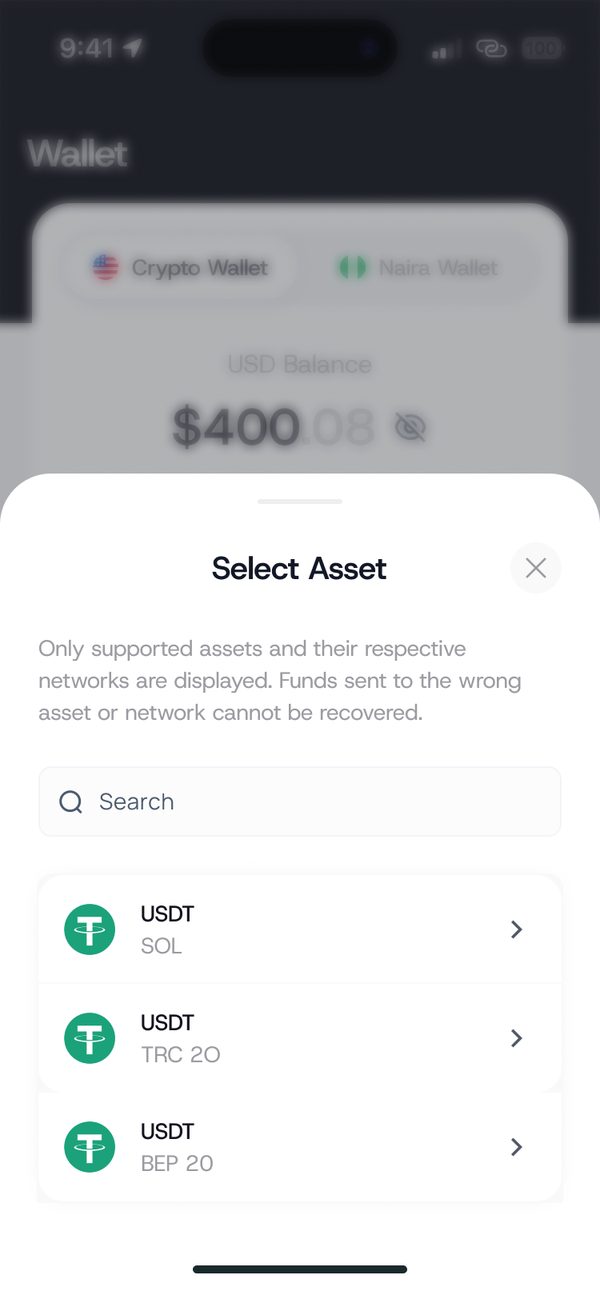
Not every app supports every network. In KnoxxPay, the Select Asset screen only shows the coins and networks the app supports. When we checked the Help Center screen, USDT was listed on SOL, TRC 20 and BEP 20. Always go by the list in your own app on the day you send.
How do you sell USDT for naira on KnoxxPay?
If your USDT is in another wallet, receive it into KnoxxPay first. Then sell it.
Part 1: receive the USDT
- Open your crypto wallet in the app and tap Top up.
- Pick USDT and the network you want to use.
- Copy your wallet address or share the QR code with the sender.
- Tell the sender the exact network. Ask them to send a small test amount first if it is a big transfer.
- Check the minimum deposit shown on the screen. Deposits smaller than the minimum may be lost.
Part 2: sell it for naira
- On the home screen, tap Sell Crypto.
- Pick USDT and enter the amount you want to sell.
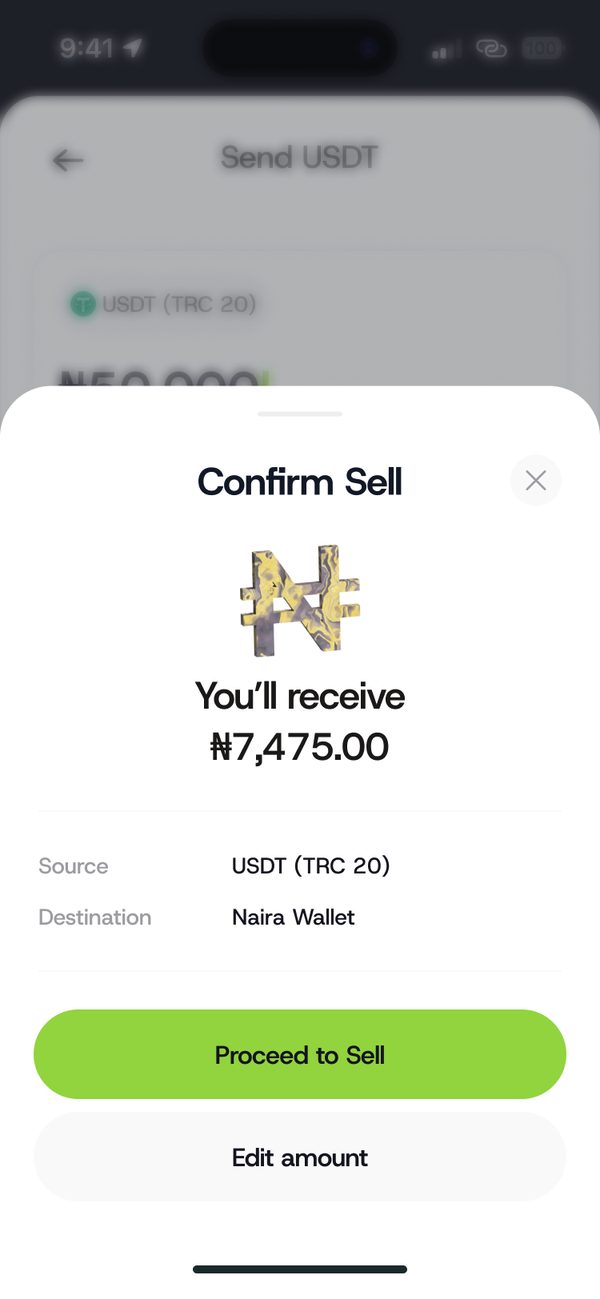
- Read the Confirm Sell screen. It shows “You’ll receive” in naira, the Source (for example USDT TRC 20) and the Destination (your Naira wallet).
- If the amount is right, tap Proceed to Sell. If not, tap Edit amount.
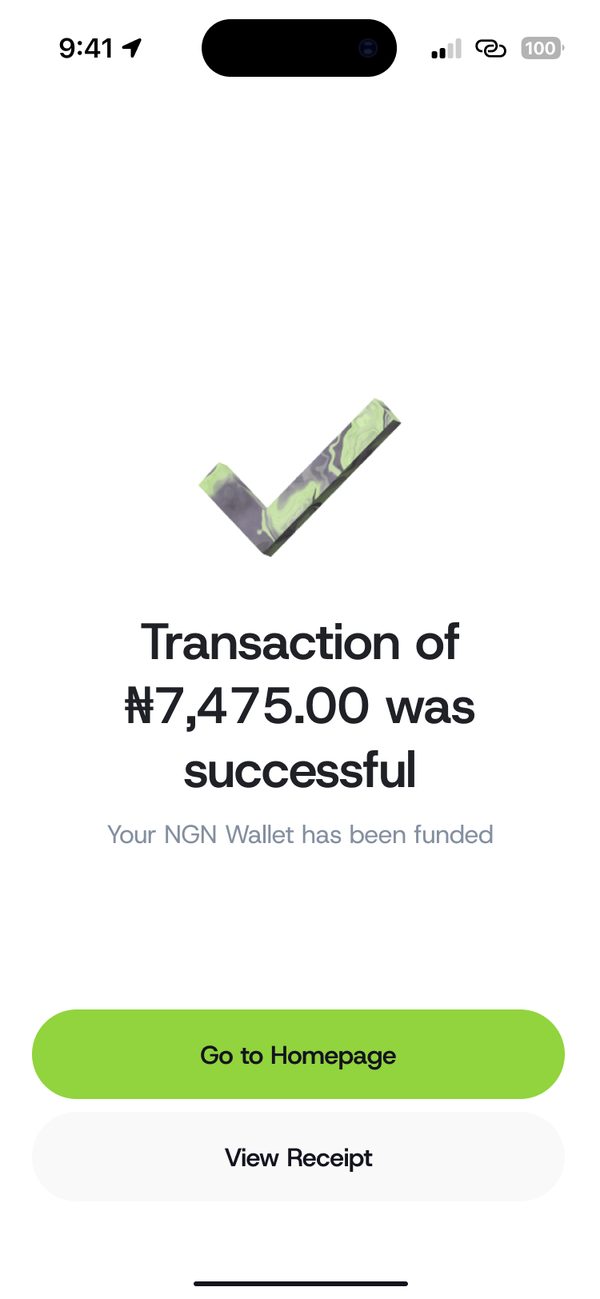
- You will see a success screen that says your NGN wallet has been funded. Tap View Receipt to keep a record.
Once the naira is in your wallet, you can send it to your bank account or use it to pay bills, like buying a prepaid meter token. For the full feature, see the KnoxxPay crypto page and the Help Center guide to selling crypto for naira.
What should you check before you tap sell?
Ten seconds on the confirm screen saves most problems. Check these four things every time:
- The coin and network. The Source line should match what you hold, for example USDT TRC 20.
- The naira amount. “You’ll receive” is what lands in your wallet. Compare it with what you expected before you confirm.
- The destination. It should say Naira Wallet.
- The amount you typed. A missing zero is easy to miss on a phone. Use Edit amount if anything looks off.
USDT is built to track the US dollar, but the naira you get depends on the rate at the time you sell. Crypto prices can go up and down, so only trade what you can afford to lose.
Is it legal to sell USDT in Nigeria?
Nigeria’s rules have changed in the last few years. In 2021 the Central Bank of Nigeria (CBN) told banks to close accounts used for crypto. On 22 December 2023 the CBN reversed that and issued guidelines that let banks open designated accounts for virtual asset service providers registered with the Securities and Exchange Commission (SEC).
Then the Investments and Securities Act 2025, enacted in March 2025, brought virtual and digital assets into Nigeria’s capital market law, with the SEC as the regulator. This is general information, not legal or tax advice. If you sell large amounts often, speak to a professional.
What are the most common mistakes when selling USDT?
- Wrong network. Sending on BEP20 to a TRC20 address. These transfers cannot be reversed. Match the network on both sides, every time.
- Wrong coin. USDT and USDC look alike. A USDC address is not a USDT address. Check the coin name at the top of the receive screen.
- Below the minimum. A deposit smaller than the minimum shown may be lost. Read the yellow note on the receive screen.
- Trusting a screenshot. In P2P, a payment screenshot or SMS alert is not money. Only your bank app balance is.
- Accepting third-party money. A transfer from a name that does not match the buyer can get your bank account flagged.
- Sharing your PIN or code. No real support agent will ask for your PIN, password or a code sent to your phone.
- Rushing the confirm screen. Read “You’ll receive” before you tap Proceed to Sell.
If a sale or deposit does not look right, report the transaction in the app with the amount, time and network. You can also read how to receive crypto into KnoxxPay and how to send crypto to another wallet.
Key takeaways
- To sell USDT for naira, get the USDT into a wallet that can sell it, check the naira amount on the confirm screen, then sell.
- The sender’s network must match your address’s network. TRC20 to TRC20, BEP20 to BEP20.
- Only the networks your app lists are safe to use with that app. In KnoxxPay, the Select Asset screen shows them.
- P2P puts the risk on you: reversed payments, third-party money and frozen accounts.
- In KnoxxPay, the Confirm Sell screen shows the naira you will receive before you tap Proceed to Sell, and the money goes to your Naira wallet.
- Crypto prices can go up and down. Only trade what you can afford to lose.
Frequently asked questions
Can I sell USDT straight to my bank account?
In KnoxxPay, the naira from a sale goes to your Naira wallet first. From there you can send it to your bank account in the app. In P2P, the buyer pays your bank account directly, which is where most of the risk comes from.
Can I see how much naira I will get before I sell?
Yes. The Confirm Sell screen shows “You’ll receive” in naira, plus the source coin and network. Nothing is sold until you tap Proceed to Sell, and you can tap Edit amount to change it.
Which USDT network should I use to receive?
Use a network your app lists on the Select Asset screen, and tell the sender that exact network. When we checked the KnoxxPay Help Center screen, USDT was listed on SOL, TRC 20 and BEP 20. The network on both sides must match.
What happens if I sent USDT on the wrong network?
Crypto sent on the wrong network or to the wrong address may be lost, and blockchain transfers cannot be reversed. Report it in the app straight away with the transaction details, but do not count on getting it back.
Is there a minimum amount of USDT I can deposit?
Yes. The receive screen shows the minimum deposit for each coin and network. Smaller deposits may be lost, so check that note before anyone sends you USDT.
Is USDT the same as dollars in my account?
No. USDT is a crypto token from Tether that is built to track the US dollar. It sits in a crypto wallet, not a bank account, and the naira you get for it depends on the rate when you sell.
Sources: Tether, Supported Protocols and Integration Guidelines; TheCable, highlights of CBN’s guidelines on bank accounts for virtual asset service providers (24 December 2023); CBN, Guidelines on Operations of Bank Accounts for Virtual Assets Service Providers; PwC Nigeria, Summary of key changes to the Investments and Securities Act 2025; TechCabal, How P2P traders navigate daily scams, fraud and frozen accounts (3 March 2025); KnoxxPay Help Center, How to sell crypto for Naira and How to receive crypto into KnoxxPay. All checked on 27 November 2026.