
KnoxxPay
Features Business About Help Center Request a feature
Get the app
  1. Help Center
  2. Account and security
  3. How to set your transaction PIN

Account and security

  • How to set your transaction PIN
  • How to view your transaction history and receipts
  • How to report a problem with a transaction

Still need help?

Our team replies in the app and by email.

Chat with us

How to set your transaction PIN

Updated 23 October 2026 · 1 min read

Short answer

Go to Complete your profile, tap Transaction Pin, enter a 4 digit PIN and enter it again to confirm. You use this PIN to approve every payment in KnoxxPay.

Video guide coming soonFollow the steps below for now.

Step by step

  1. Step 1

    Open Transaction Pin

    From Complete your profile, tap Transaction Pin.
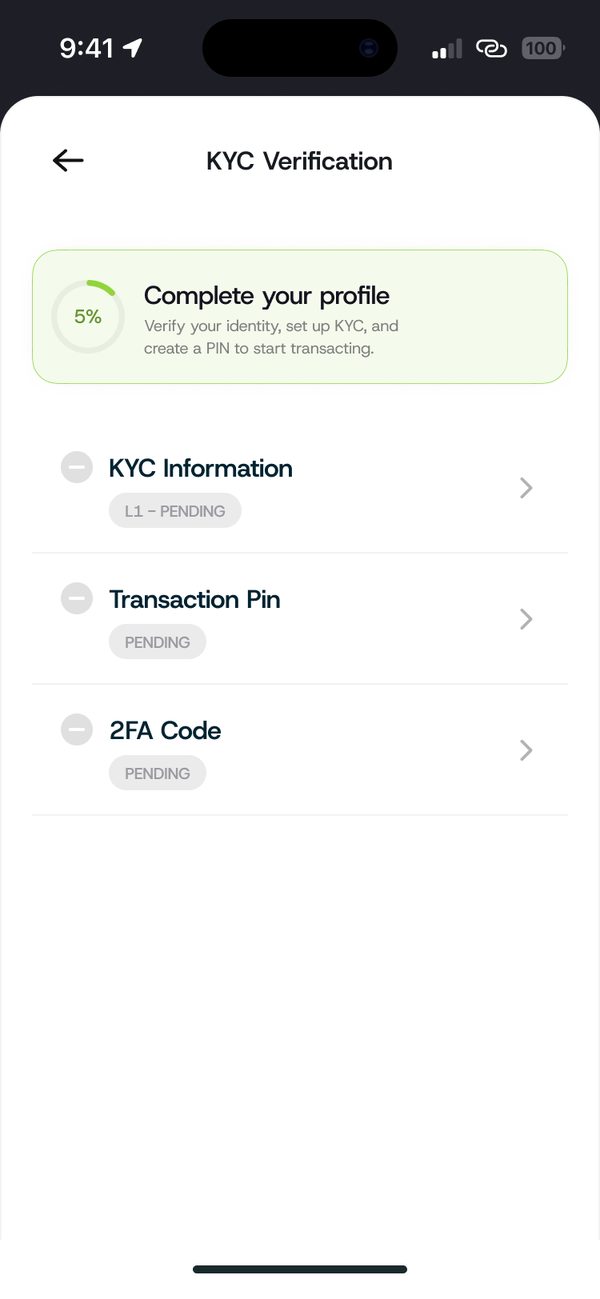
    Open Transaction Pin
  2. Step 2

    Enter and confirm your PIN

    Type a 4 digit PIN, then type it again to confirm. Avoid easy PINs like 1234.
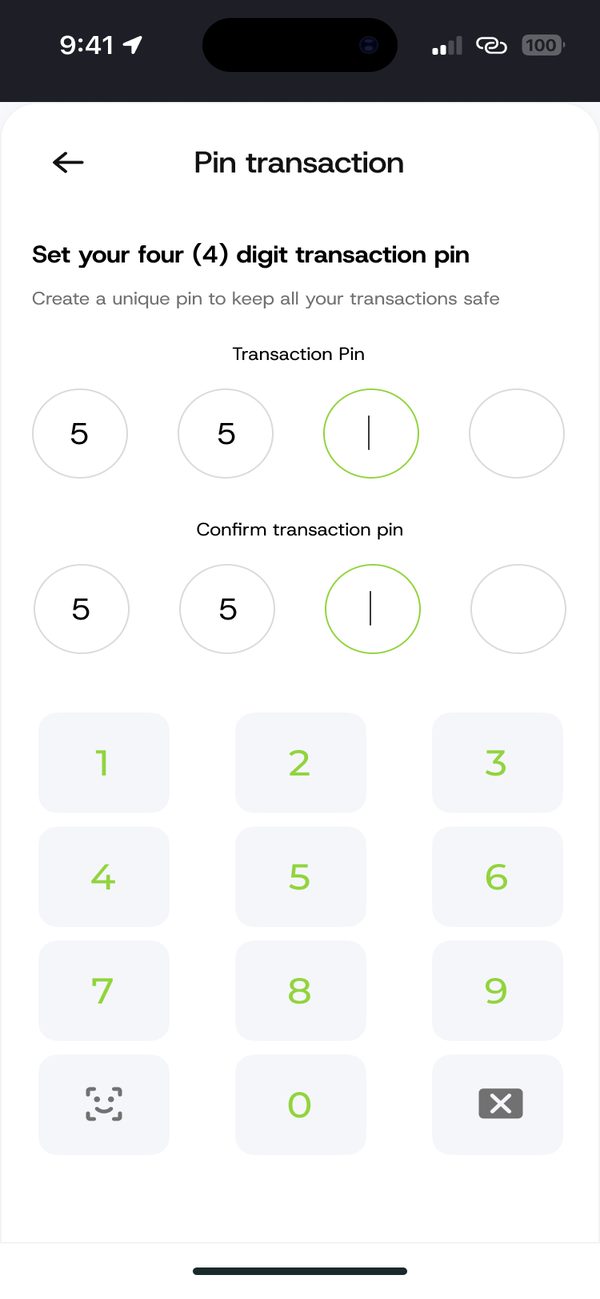
    Enter and confirm your PIN

If something goes wrong

  • Forgot your PIN: chat with us and we will help you reset it.

Questions people ask

Can I share my PIN?

No. Never share your PIN with anyone, including people who say they work for KnoxxPay.

Was this article helpful?

Related questions

  • How to view your transaction history and receiptsAccount and security · 1 min read
  • How to report a problem with a transactionAccount and security · 1 min read

Still need help?

Chat with us. A real person will pick it up.

Chat with us
KnoxxPay

KnoxxPay is a product of KnoxPaee Technologies Limited (CAC RC 8773419). 3 Tunde Joda Street, Off White Sand School, Lekki, Lagos.

support@knoxxpay.com · +234 916 080 5210

Features

Sell gift cards Buy gift cards Pay bills USD account Naira wallet Crypto

Company

About Business Careers Contact us

Help and legal

Help Center Request a feature FAQs Customer support Terms of use Privacy policy Delete my account

© 2026 KnoxxPay. Crypto prices can go up and down. Betting is for 18+ only. Please play responsibly.

Designed and developed by AlphaMax Digital Services

Scroll to top