
How to get your USD account details
Short answer
Open your wallets, tap Create USD account, then Proceed. Enter your identification number and tap Confirm and proceed. When you see Your USD account is ready, your account name and number show. Share them to receive dollars.
Step by step
Step 1
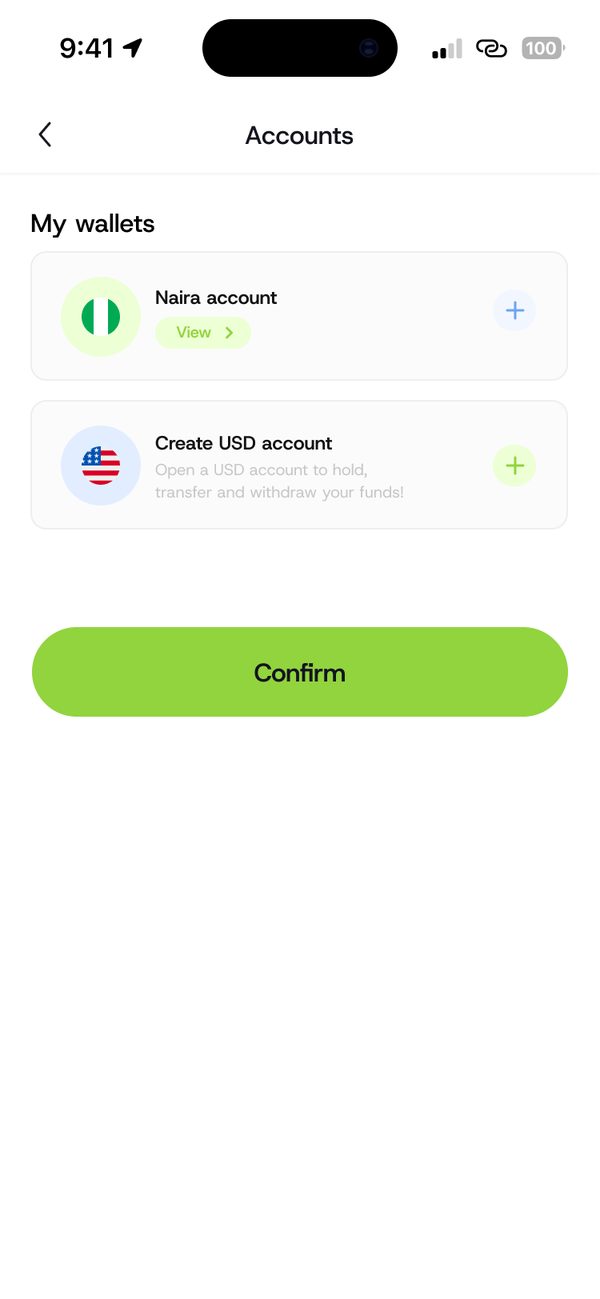
Open your wallets
Go to Accounts. Under My wallets, find Create USD account.

Step 2
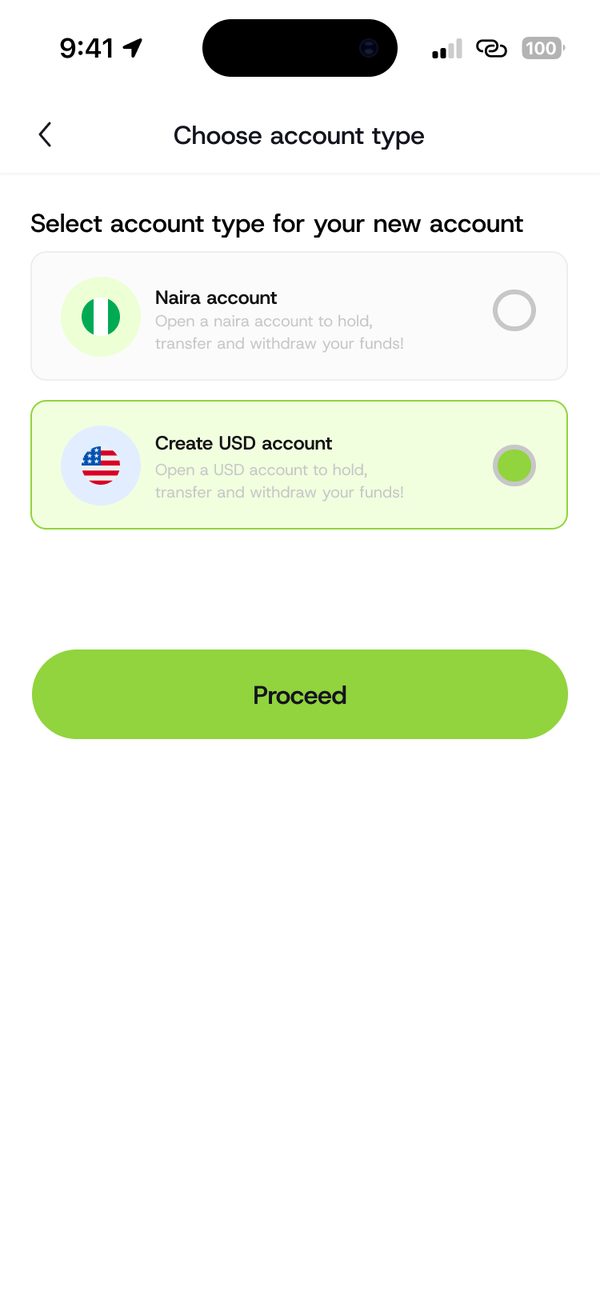
Choose USD account
Select Create USD account and tap Proceed.
Step 3
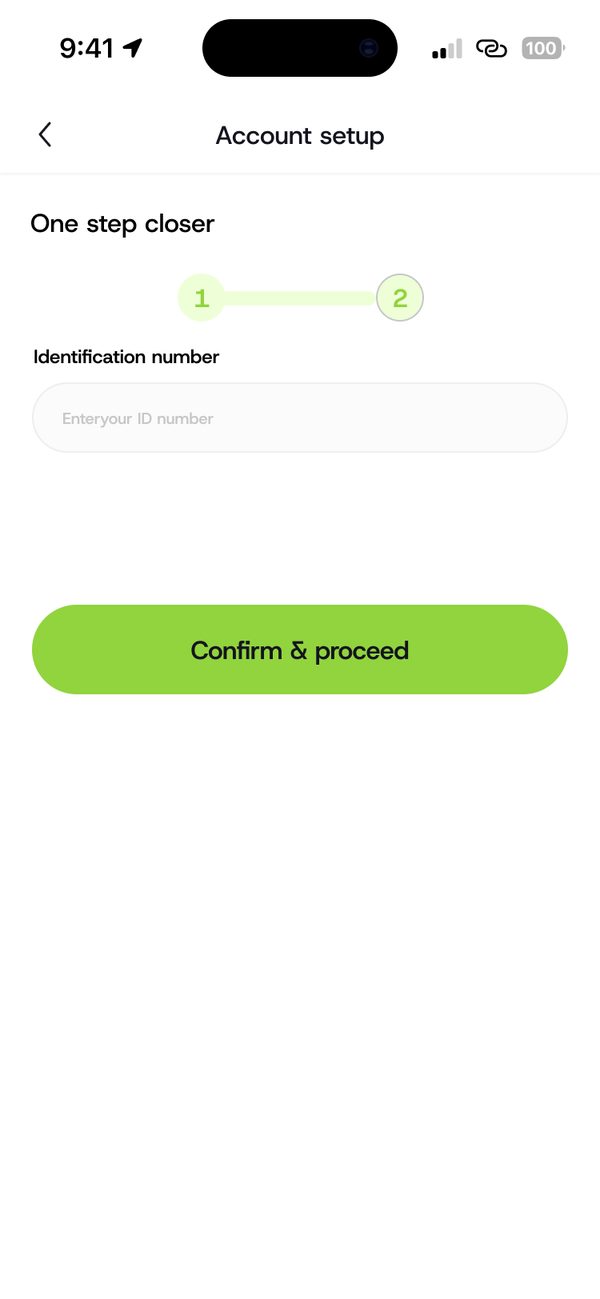
Add your ID number
Enter your identification number and tap Confirm and proceed.
Step 4
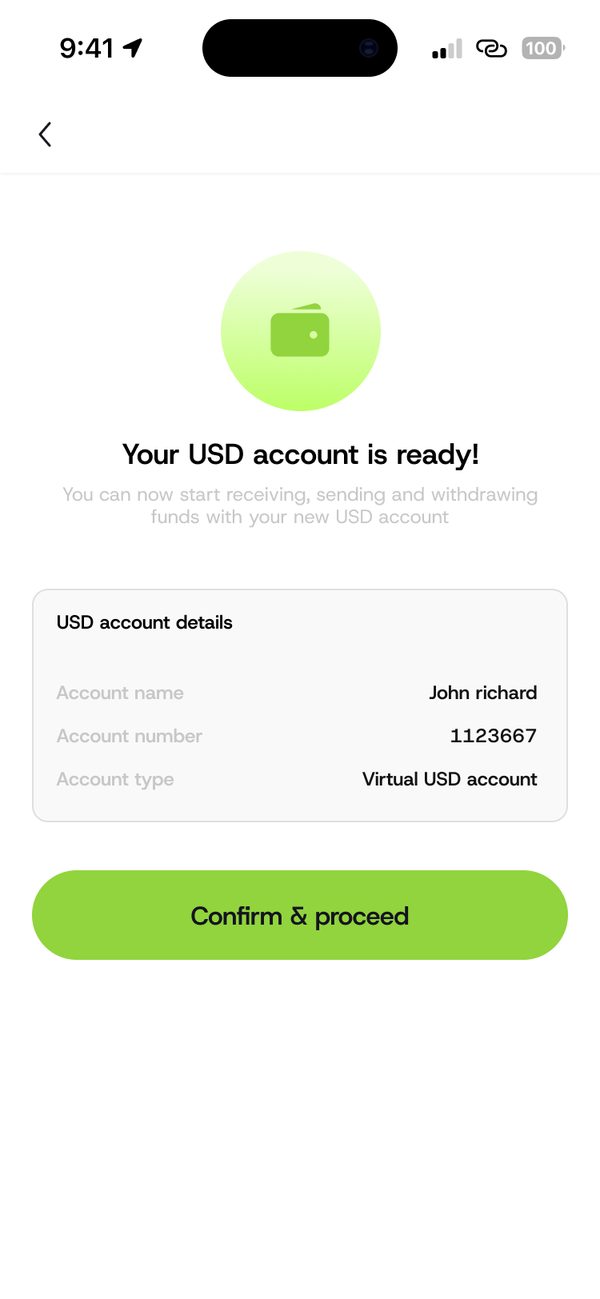
Your account is ready
Your USD account details show. Tap Confirm and proceed.
Step 5
Share your details
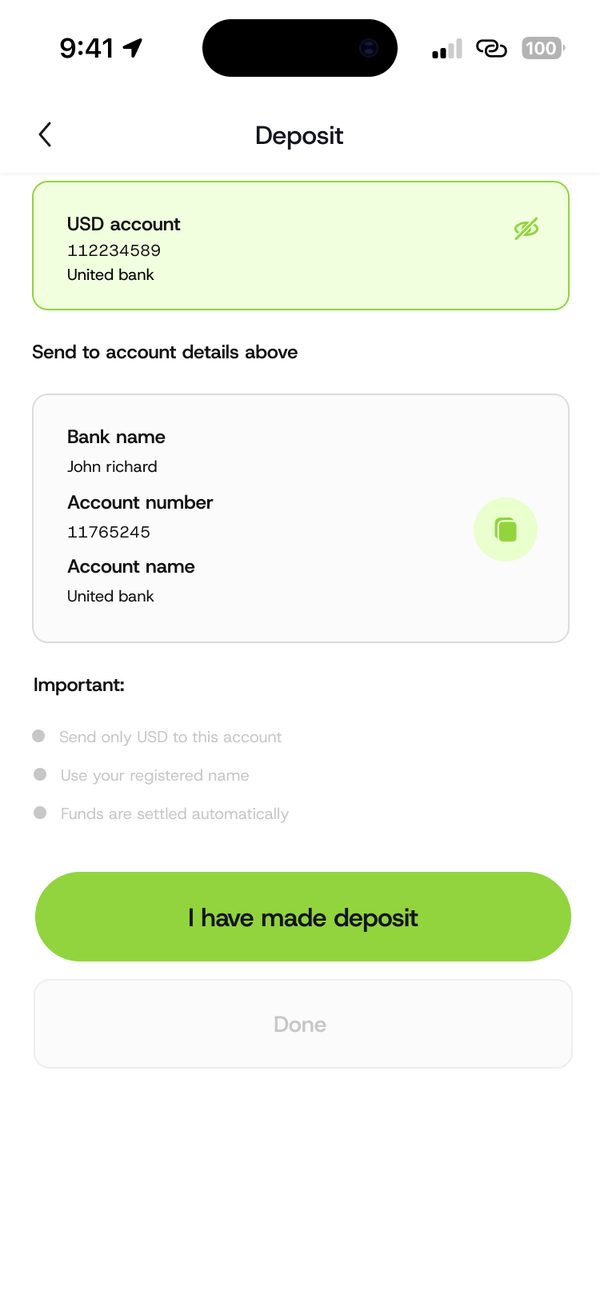
Open Deposit to see your bank name, account number and account name to share.
If something goes wrong
- Send only USD to this account.
- Use your registered name when you send money to yourself.
Questions people ask
Can I receive money from abroad?
Yes. Share your USD account details with the person or platform paying you.
Was this article helpful?
Still need help?
Chat with us. A real person will pick it up.