
How to create a KnoxxPay account
Short answer
Download KnoxxPay from the App Store or Google Play, sign up with your details, then finish your profile. Your profile has three parts: KYC information, a transaction PIN and a 2FA code. Once they are done, you can fund your wallet and start paying.
Step by step
Step 1
Download the app
Get KnoxxPay from the App Store on iPhone or Google Play on Android.
Step 2
Sign up
Open the app and sign up with your details. Follow the prompts on screen.
Step 3
Complete your profile
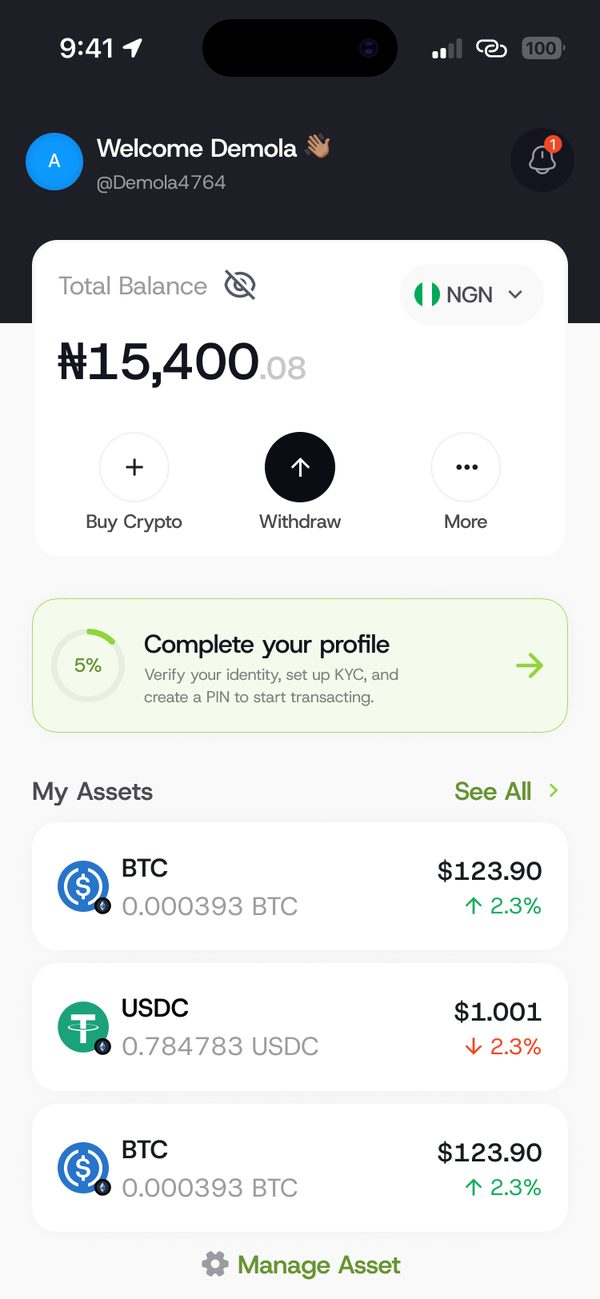
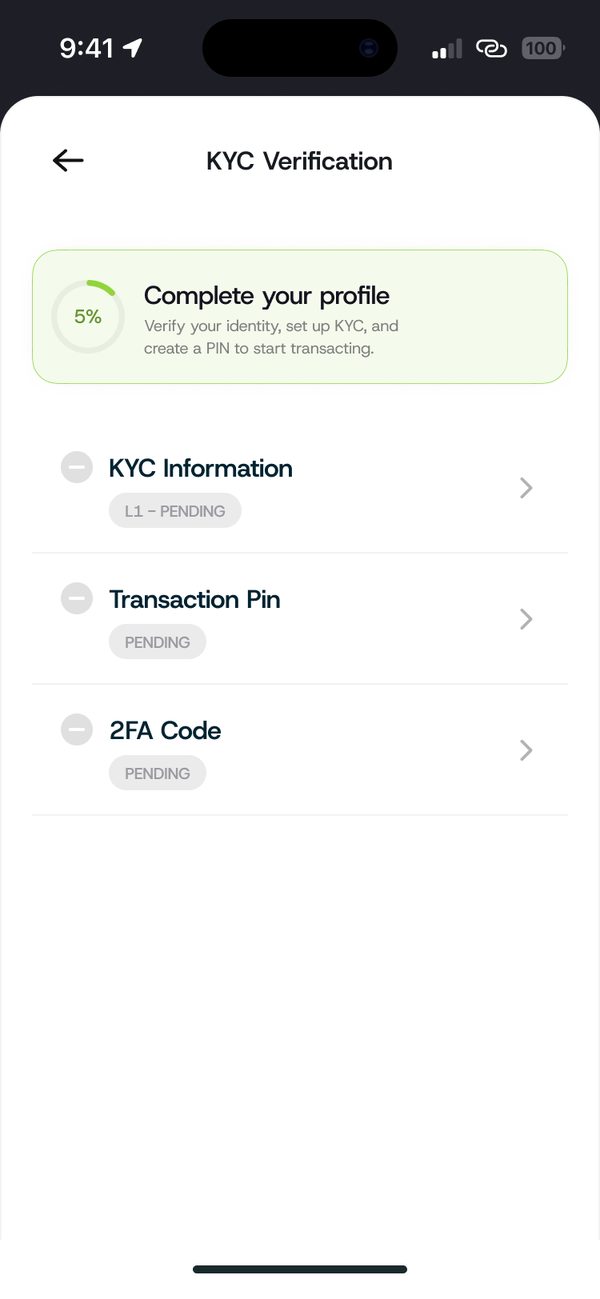
On the home screen, tap Complete your profile. You will see three items to finish.
Step 4
Finish all three items
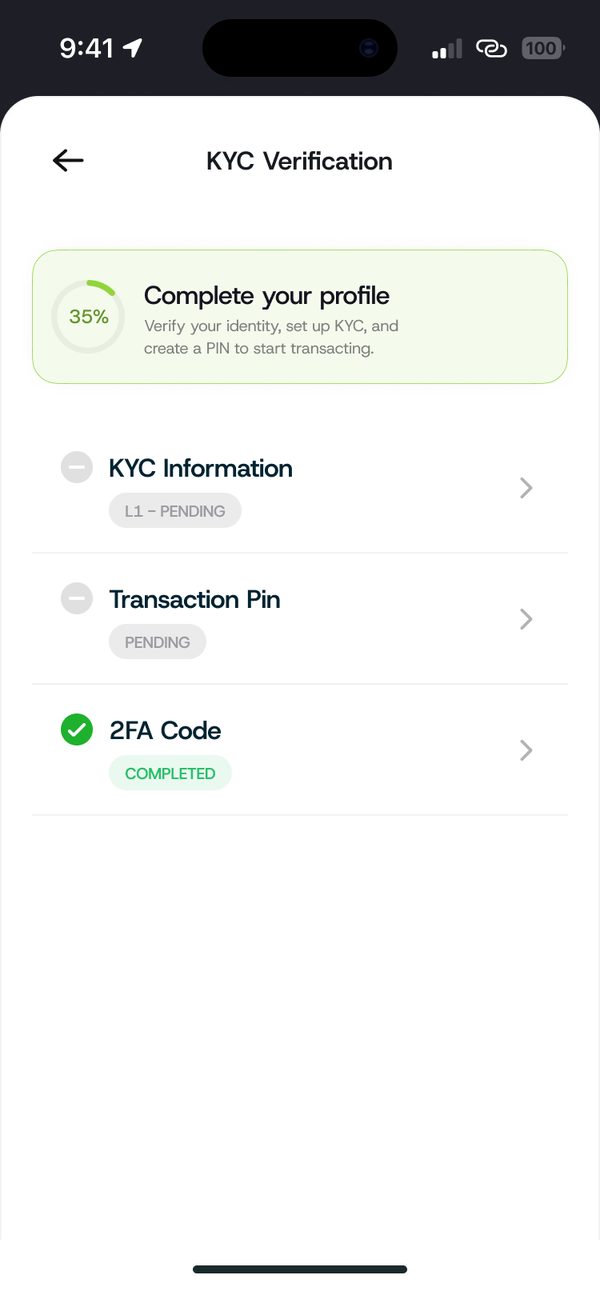
Add your KYC information, set a transaction PIN and turn on your 2FA code. Each item shows Completed when it is done.
If something goes wrong
- Profile stuck on pending: KYC checks can take a little time. Check back later or chat with us.
Questions people ask
Do I need to verify my identity?
Yes. Completing your KYC information is part of finishing your profile.
Is KnoxxPay on iPhone and Android?
Yes. Download it from the App Store or Google Play.
Was this article helpful?
Still need help?
Chat with us. A real person will pick it up.