
How to withdraw from your USD account
Short answer
Tap Withdraw on your USD account. Choose the withdrawal method, enter the amount in USD and the recipient name, then tap Review withdrawal. Check the details, tap Withdraw and keep the page open while it processes.
Video guide coming soonFollow the steps below for now.
Step by step
Step 1
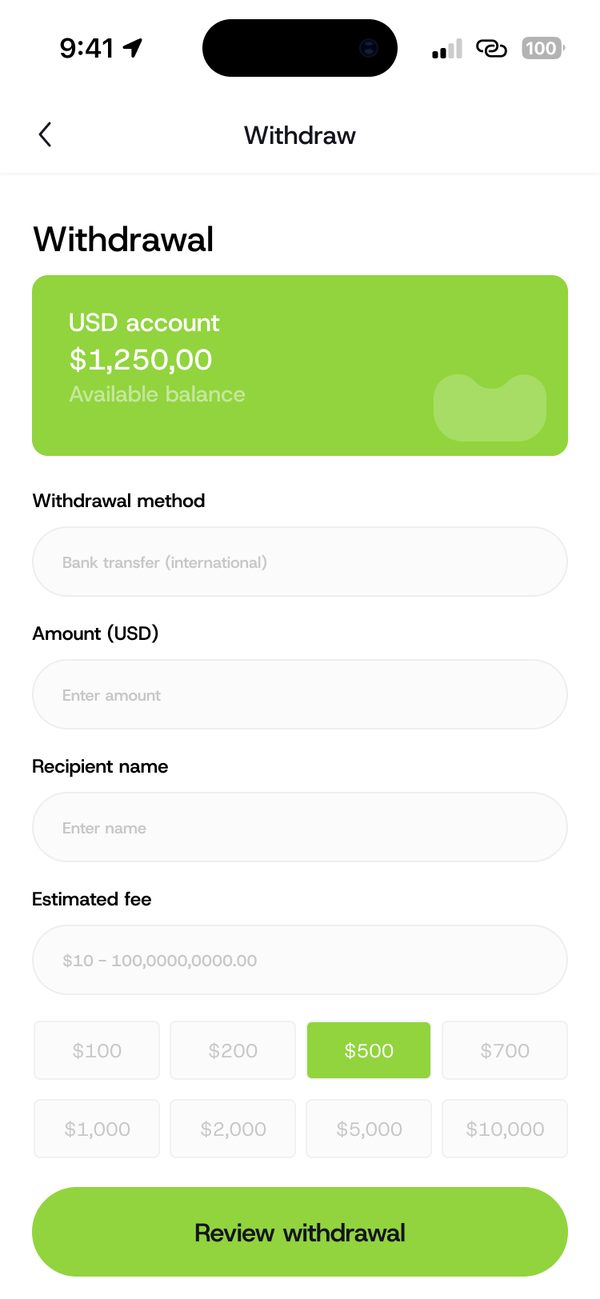
Start a withdrawal
Choose your withdrawal method, enter the amount and recipient name. The estimated fee shows here.
Step 2
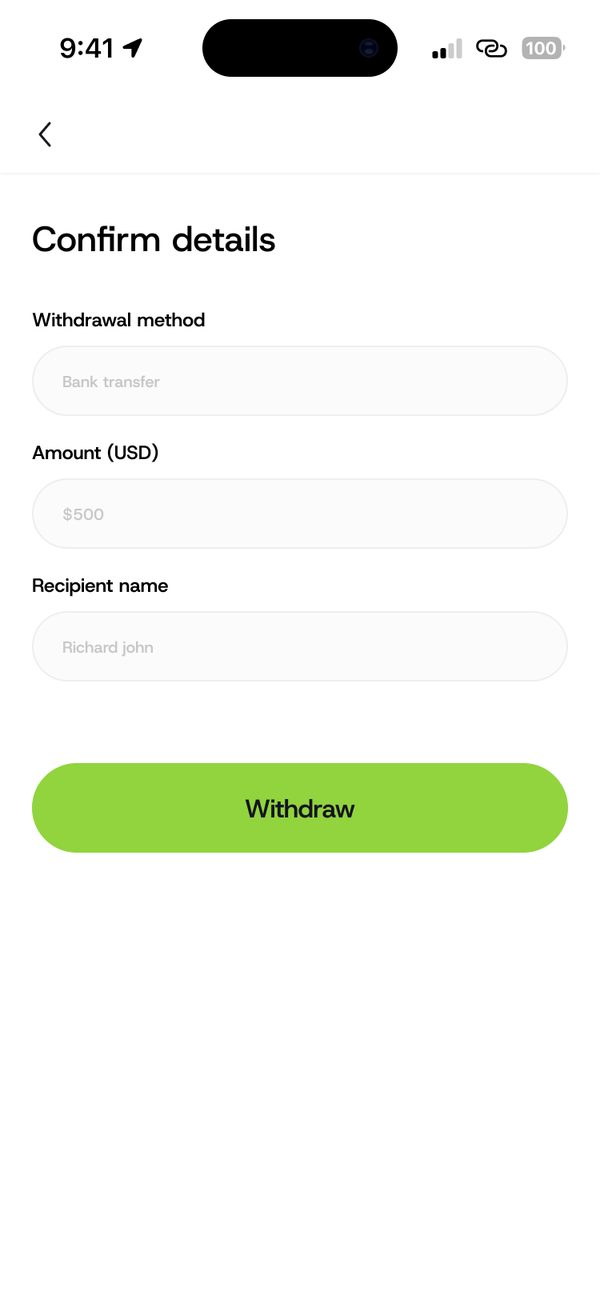
Confirm the details
Check the method, amount and recipient, then tap Withdraw.
Step 3
Wait while it processes
Keep the page open while your transaction is processing.

Step 4
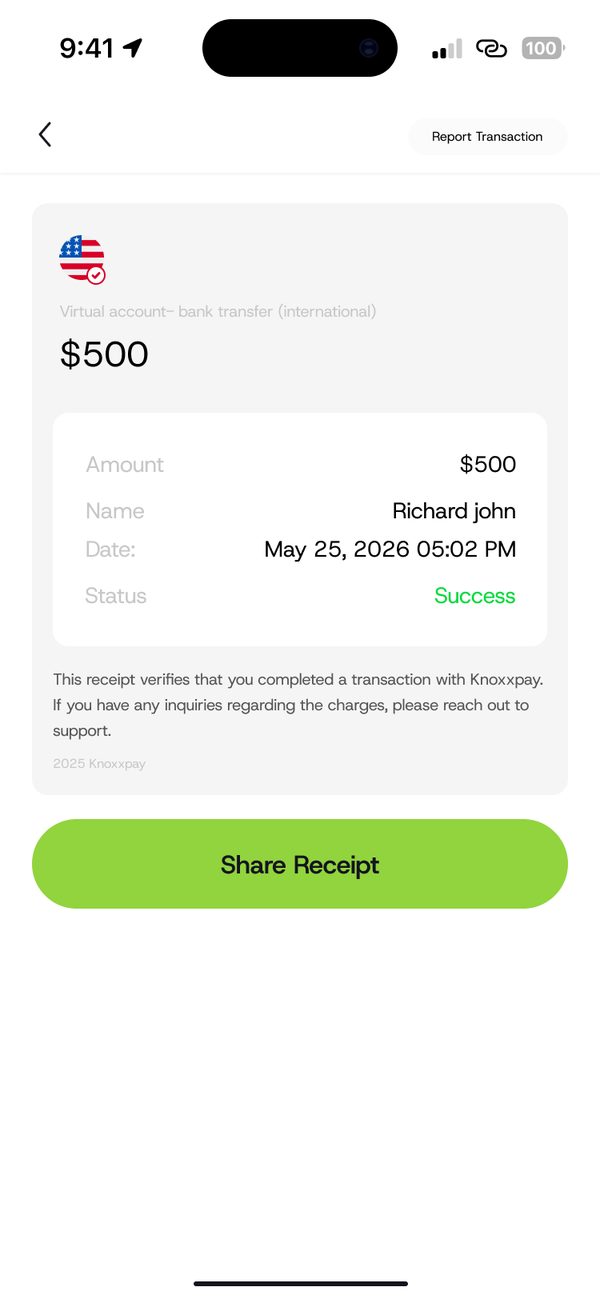
Get your receipt
Your receipt shows the amount, name, date and status. Tap Share Receipt.
Questions people ask
Can I see the fee first?
Yes. The estimated fee shows before you confirm.
Was this article helpful?
Still need help?
Chat with us. A real person will pick it up.