
How to create a USD payment link
Short answer
Open your USD account, tap Payment link and enter the amount in USD. Add a description and expiry if you want, then tap Generate link. Review it, tap Share link and send it by WhatsApp, X, Facebook, email or copy it.
Video guide coming soonFollow the steps below for now.
Step by step
Step 1
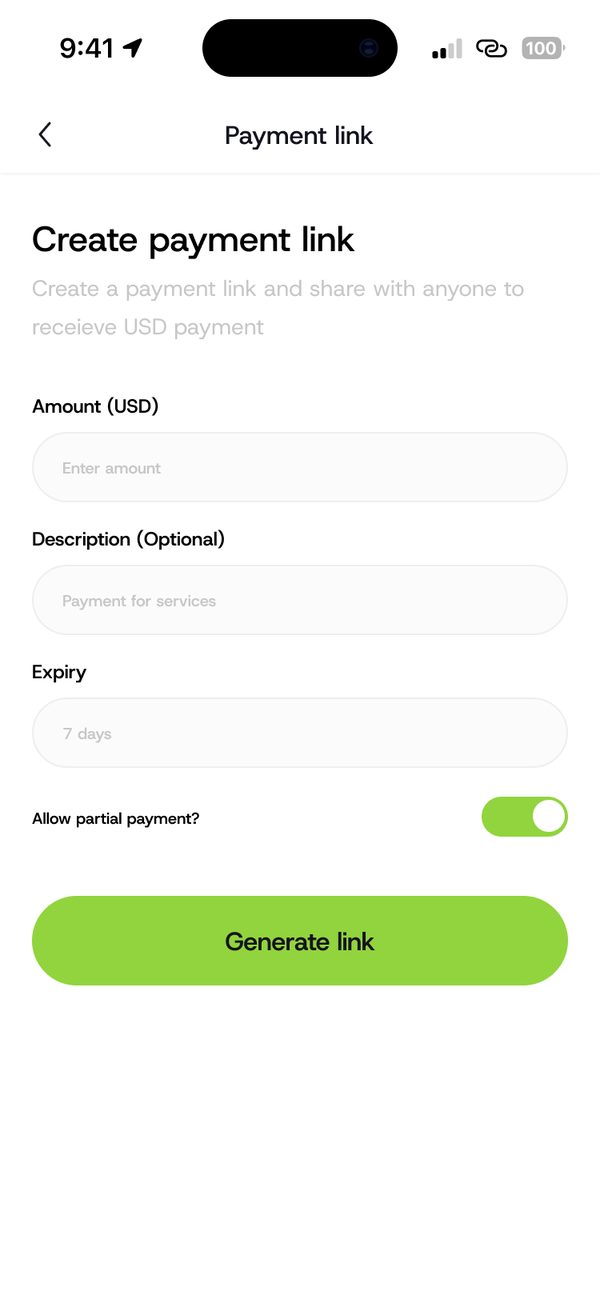
Create the link
Enter the amount in USD, add an optional description, set an expiry and choose if partial payment is allowed. Tap Generate link.
Step 2
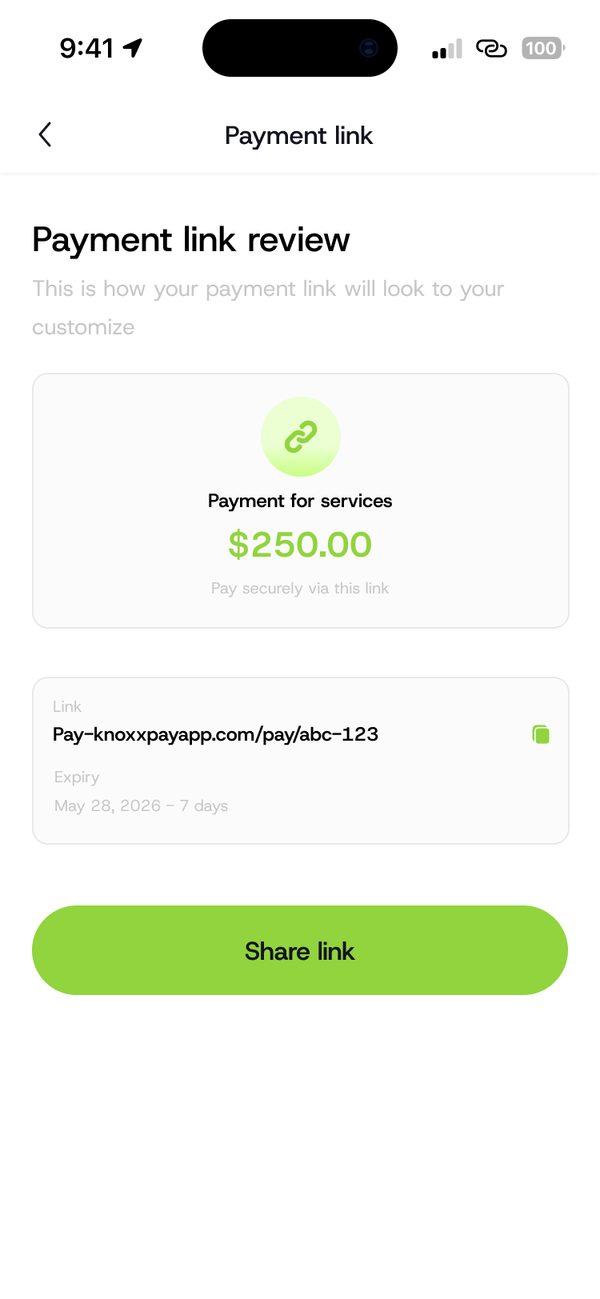
Review your link
Check how the link will look to the person paying you, then tap Share link.
Step 3
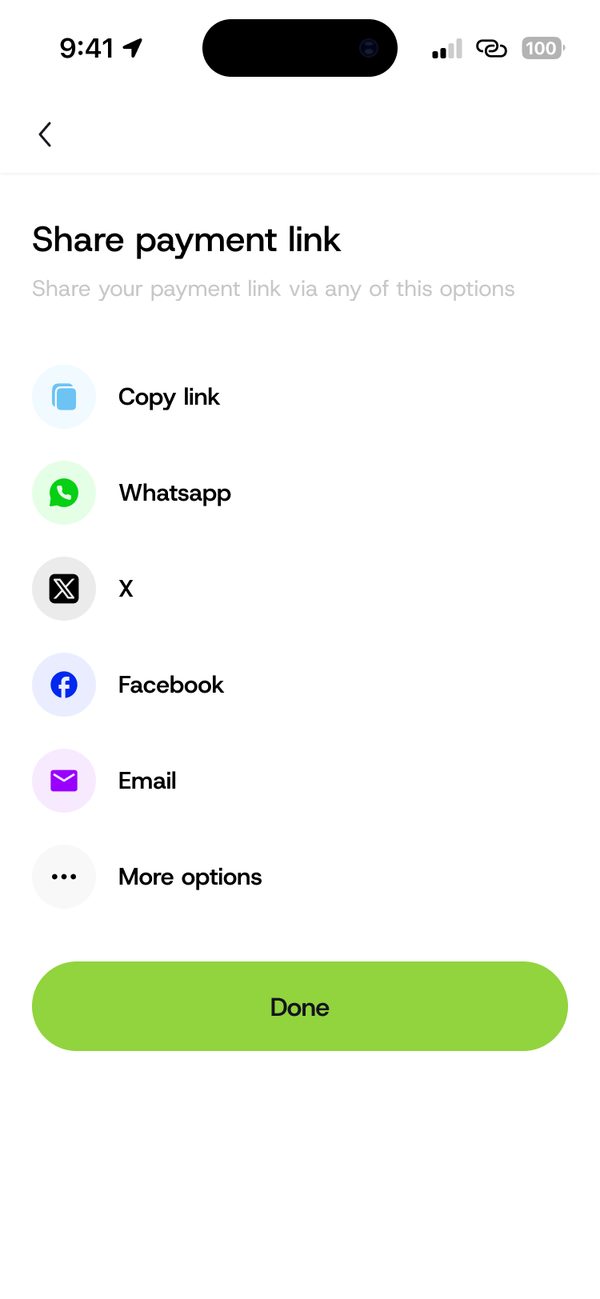
Share it
Copy the link or share it by WhatsApp, X, Facebook, email or more options.
Questions people ask
Can people pay part of the amount?
Only if you turn on Allow partial payment when you create the link.
Was this article helpful?
Still need help?
Chat with us. A real person will pick it up.