
How to buy exam PINs (E-pin)
Short answer
Tap Bill payments, then E-pin. Choose the service, enter the amount, phone number and network, then tap Proceed. Check the summary, tap Confirm and Pay, and your PIN shows on the receipt.
Video guide coming soonFollow the steps below for now.
Step by step
Step 1
Open E-pin
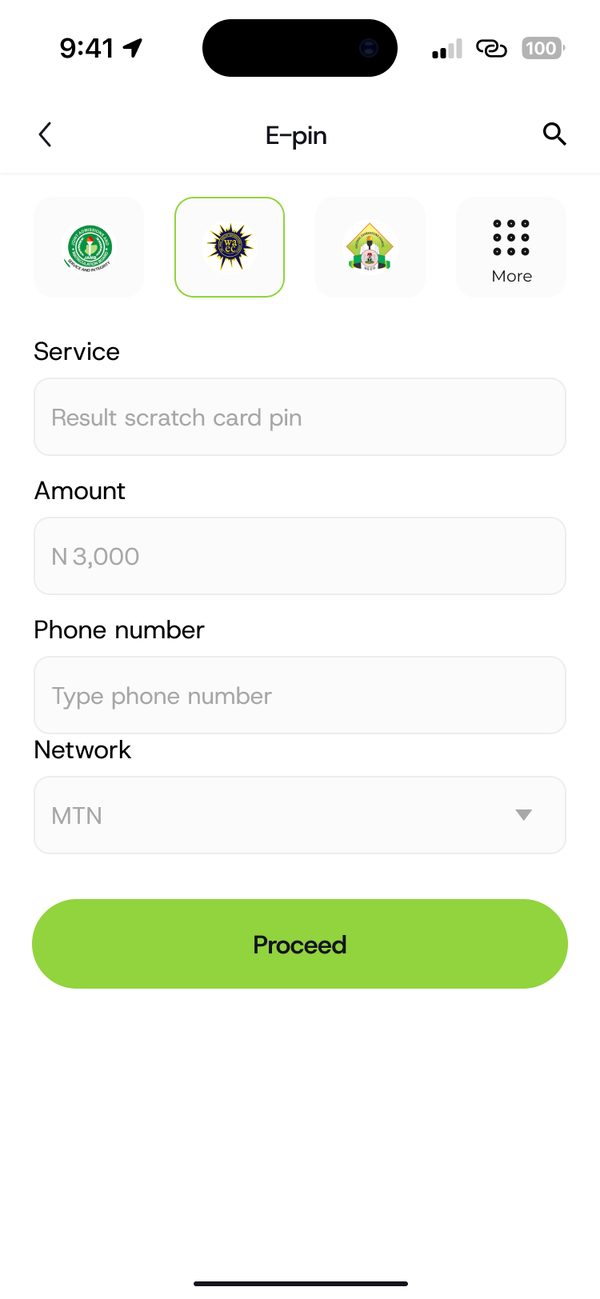
Tap Bill payments, then E-pin and choose the service you need.
Step 2
Confirm and pay
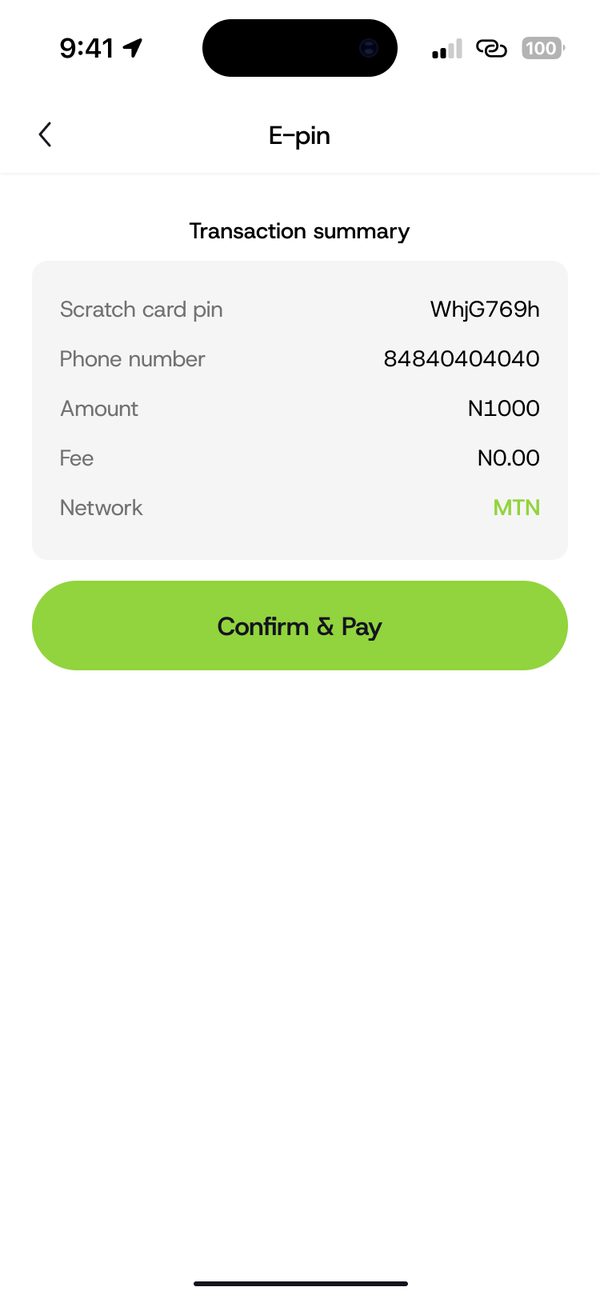
Check the transaction summary, then tap Confirm and Pay.
Step 3
Get your PIN
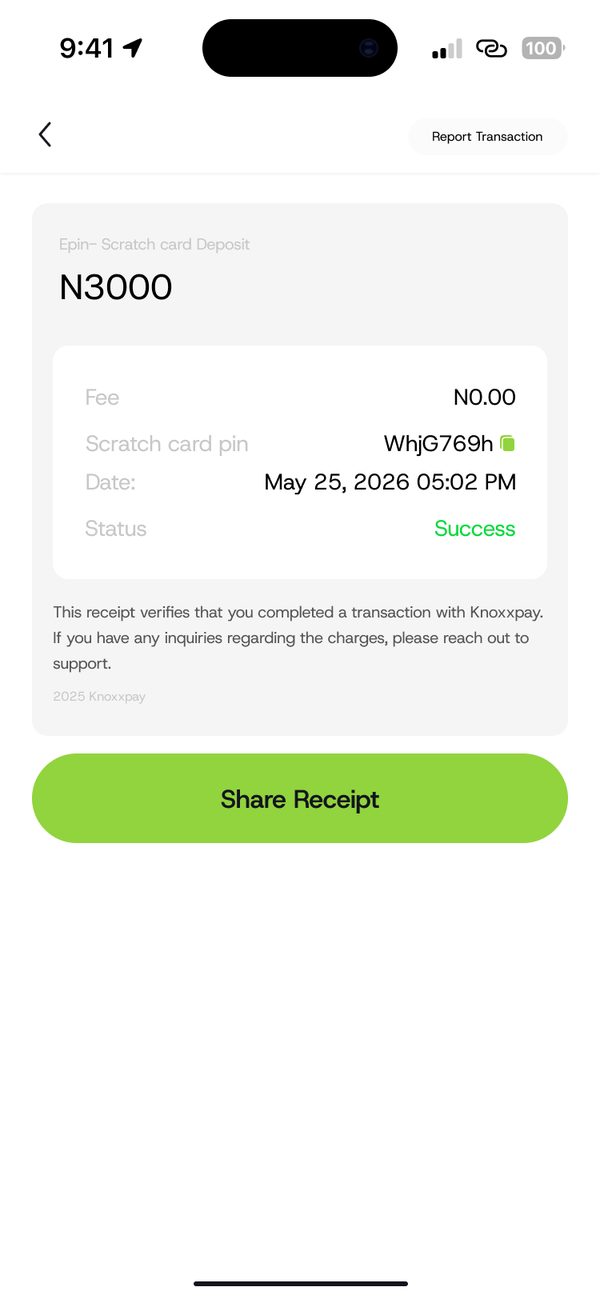
Your scratch card PIN shows on the receipt. Tap Share Receipt to save it.
Was this article helpful?
Still need help?
Chat with us. A real person will pick it up.