
How to set your transaction PIN
Short answer
Go to Complete your profile, tap Transaction Pin, enter a 4 digit PIN and enter it again to confirm. You use this PIN to approve every payment in KnoxxPay.
Video guide coming soonFollow the steps below for now.
Step by step
Step 1
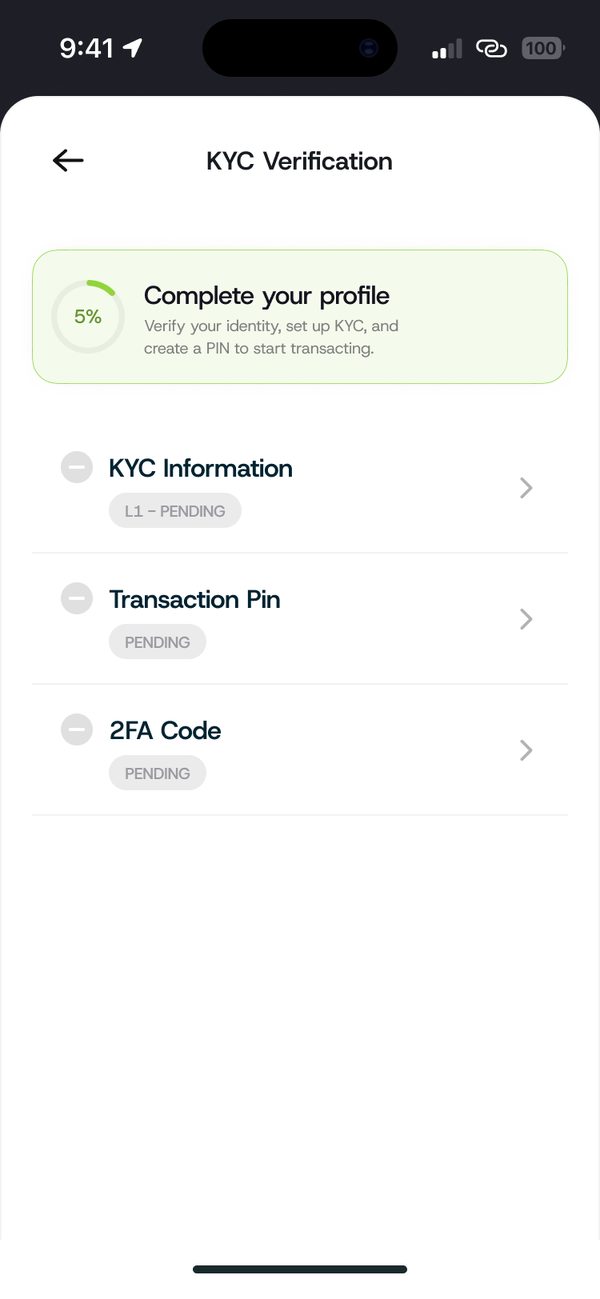
Open Transaction Pin
From Complete your profile, tap Transaction Pin.
Step 2
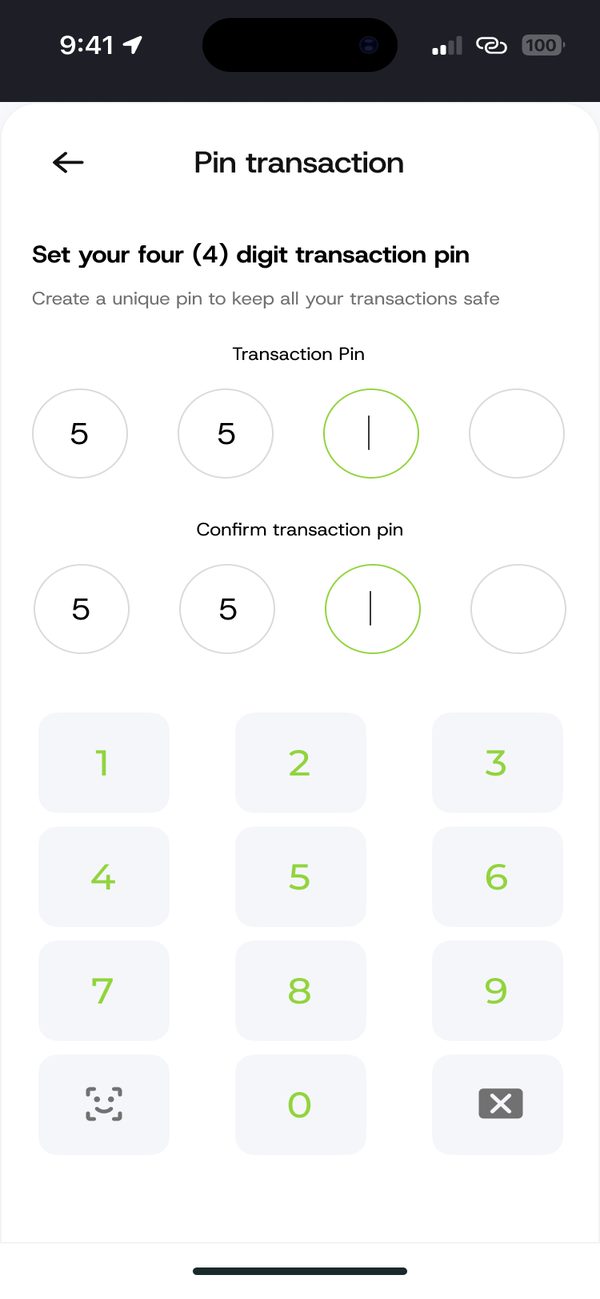
Enter and confirm your PIN
Type a 4 digit PIN, then type it again to confirm. Avoid easy PINs like 1234.
If something goes wrong
- Forgot your PIN: chat with us and we will help you reset it.
Questions people ask
Can I share my PIN?
No. Never share your PIN with anyone, including people who say they work for KnoxxPay.
Was this article helpful?
Still need help?
Chat with us. A real person will pick it up.