
How to complete your profile (KYC, PIN and 2FA)
Short answer
Tap Complete your profile on the home screen. Finish the three items: KYC information, transaction PIN and 2FA code. The progress ring shows how far you are, and each item says Completed when it is done.
Video guide coming soonFollow the steps below for now.
Step by step
Step 1
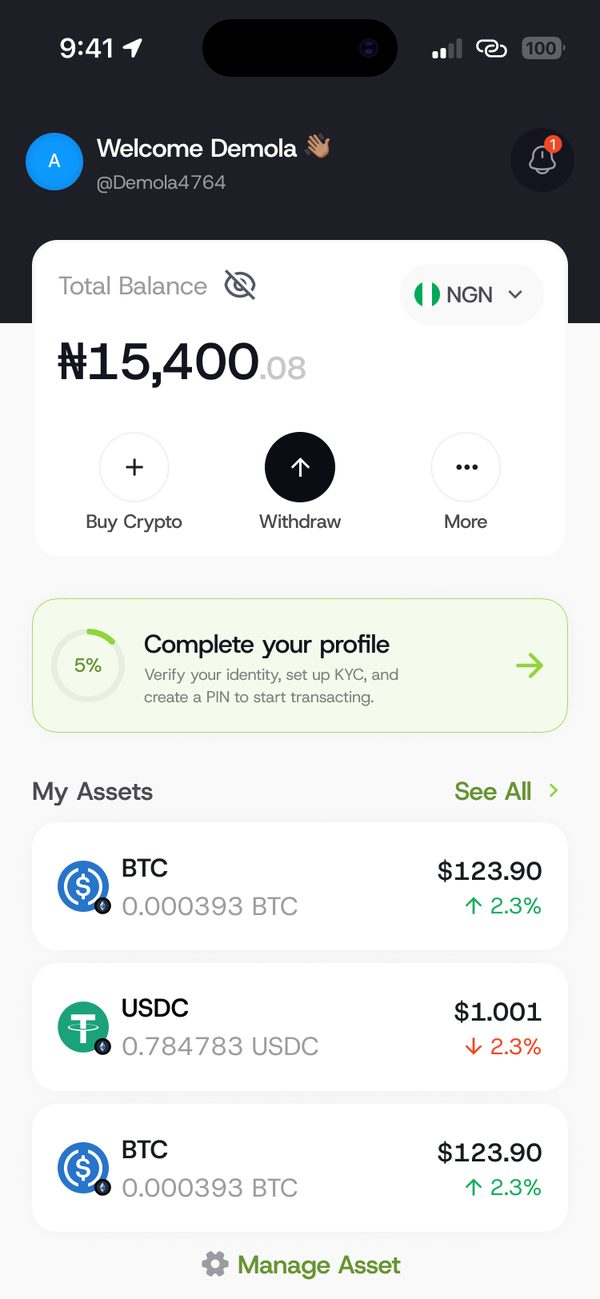
Open Complete your profile
Tap the Complete your profile card on the home screen.
Step 2
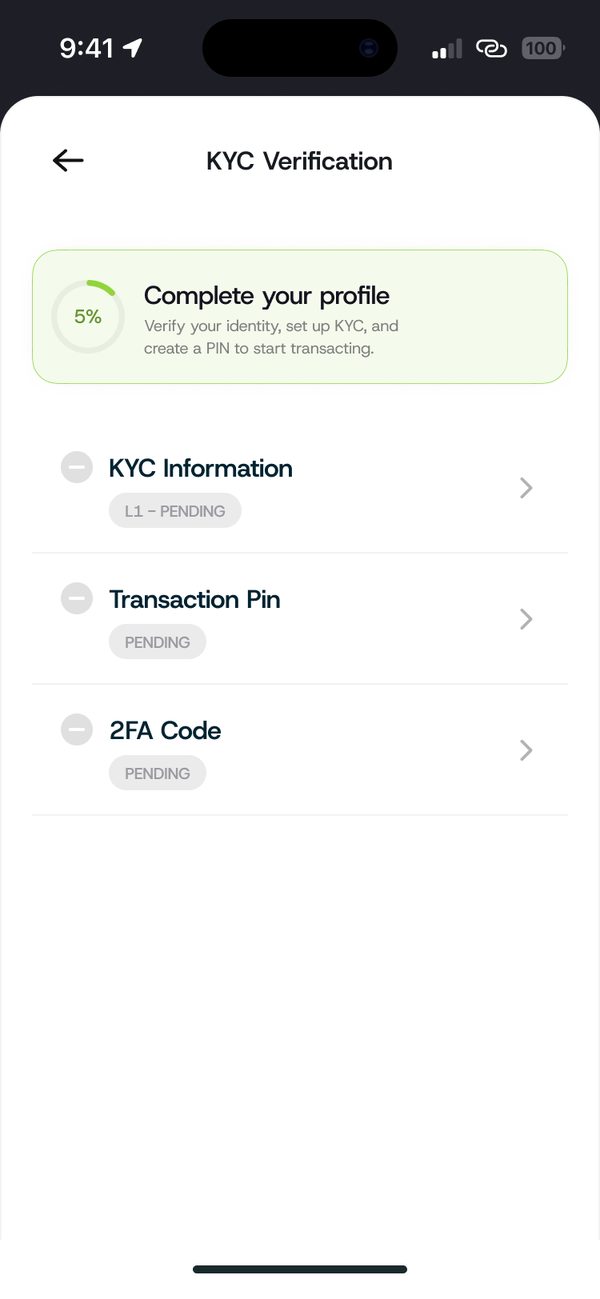
Add your KYC information
Tap KYC Information and enter the details asked for.
Step 3
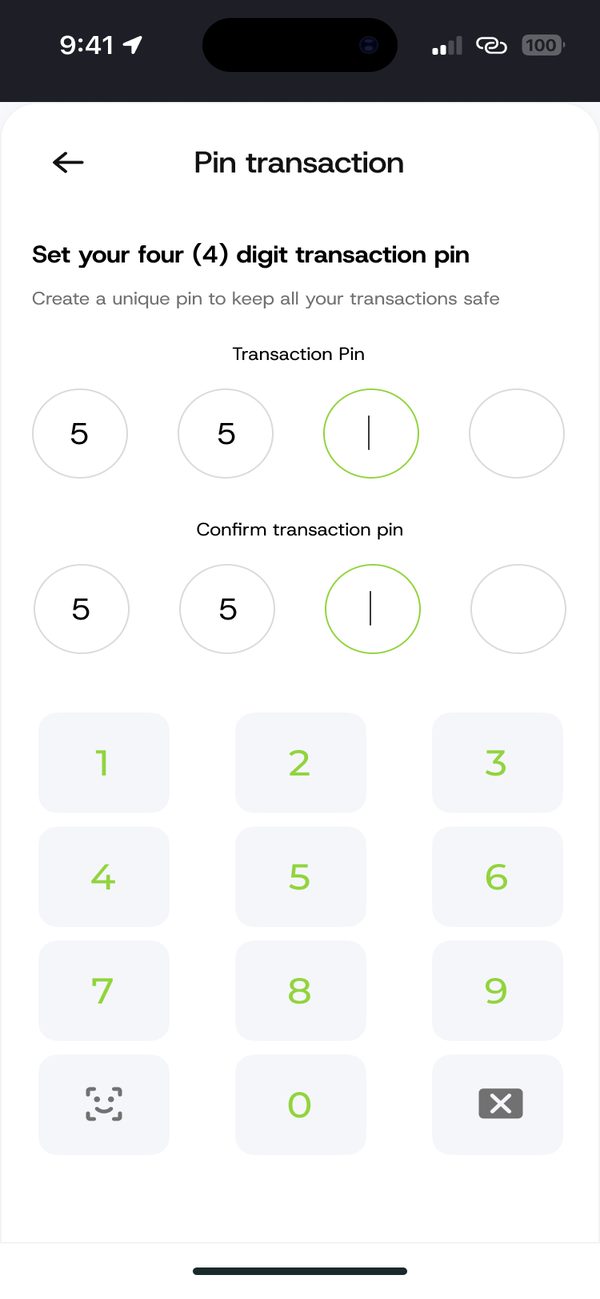
Set your transaction PIN
Tap Transaction Pin and choose a 4 digit PIN you will remember.
Step 4
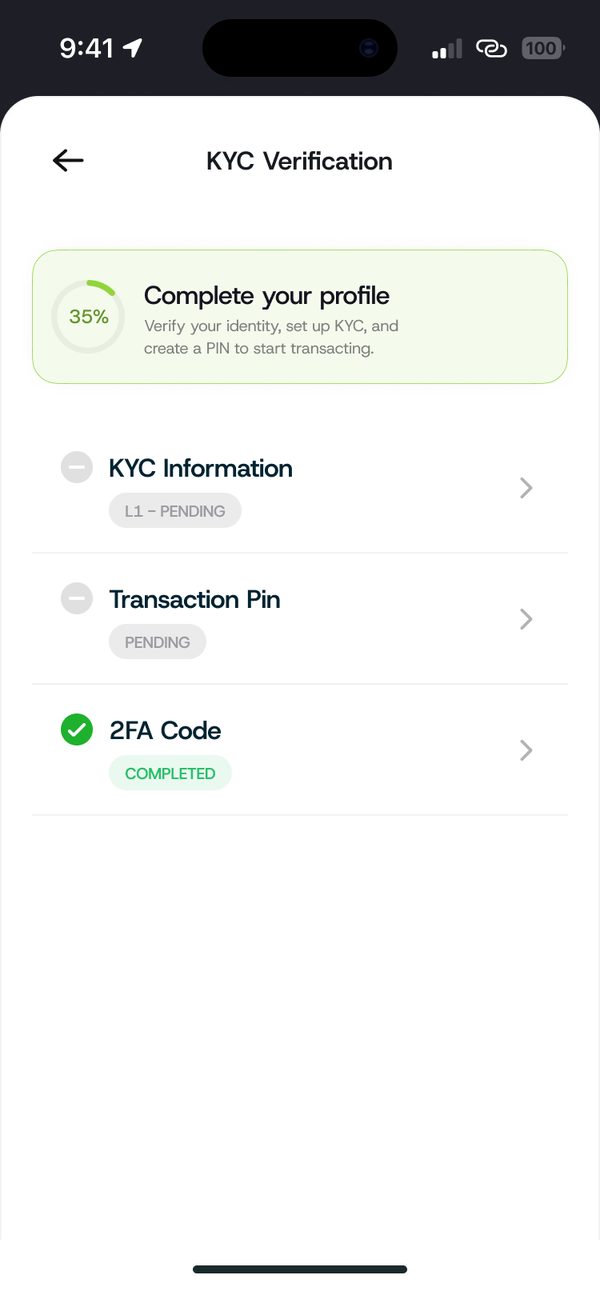
Turn on your 2FA code
Tap 2FA Code and follow the steps. When all items are done, your profile is complete.
If something goes wrong
- Pending status: some checks take time. You will see Completed once approved.
Questions people ask
Why do I need a transaction PIN?
Every payment asks for your 4 digit PIN, so only you can move your money.
Was this article helpful?
Still need help?
Chat with us. A real person will pick it up.