Naira wallet
Fund it by bank transfer, send money to any bank, and download a statement whenever you need one.
Read the step-by-step guide →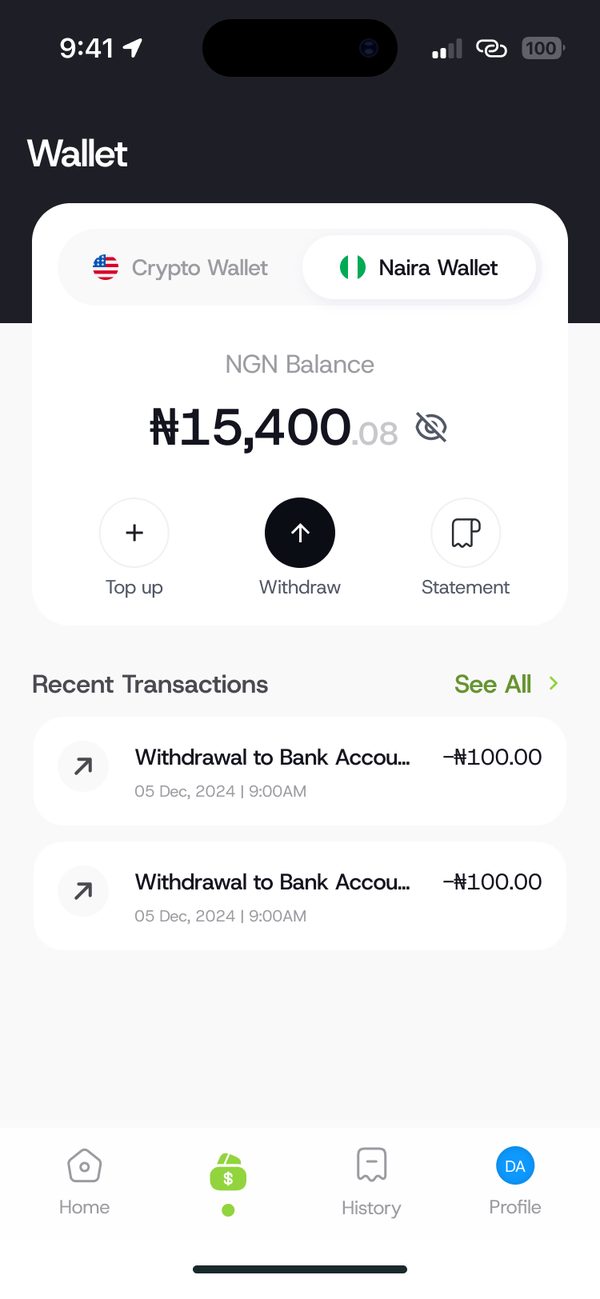
How it works
Step 1
Choose Naira Wallet and tap Top up.
Step 2
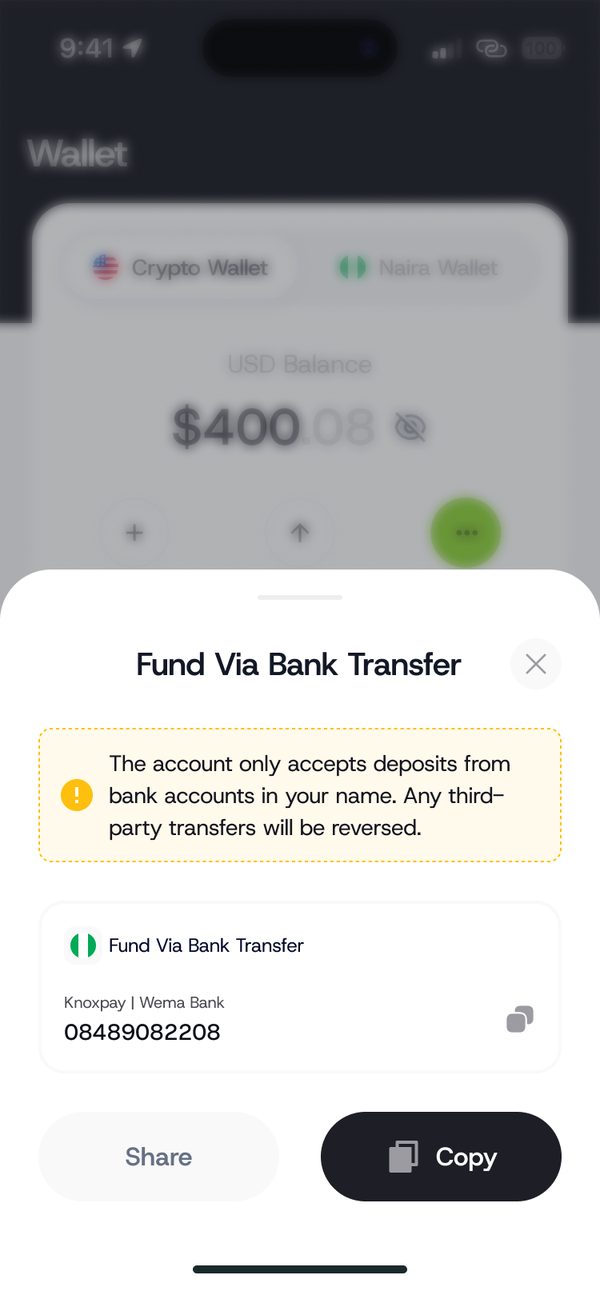
Send a bank transfer to your KnoxxPay account number.
Step 3
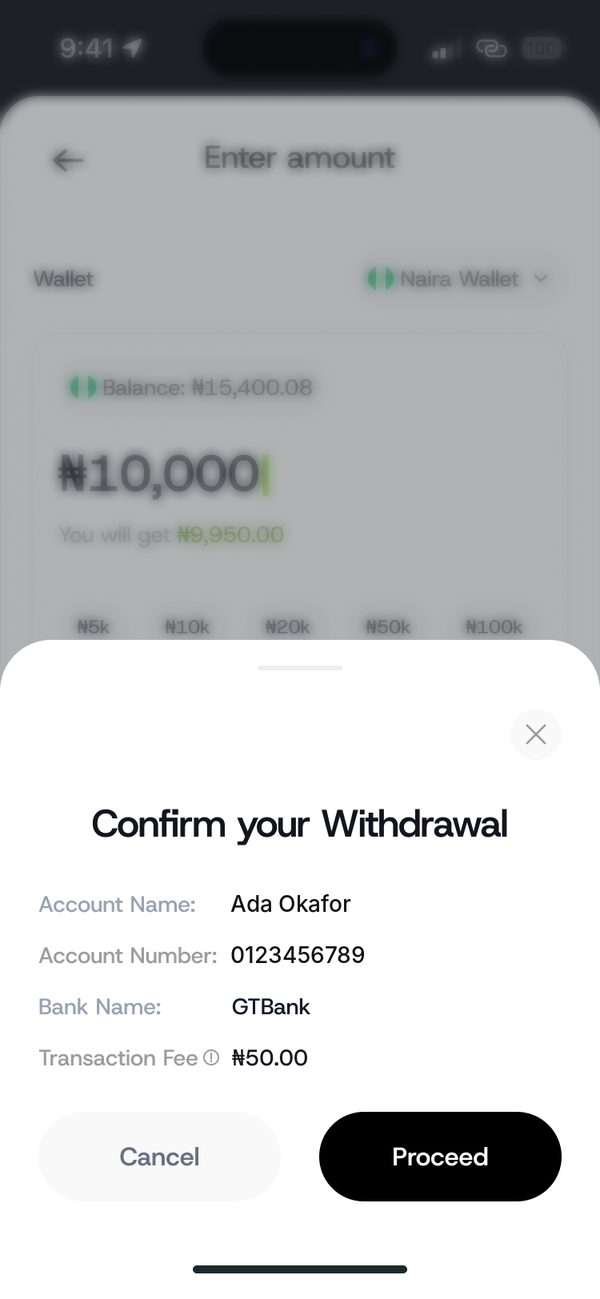
Check the name and fee before you send.
Step 4
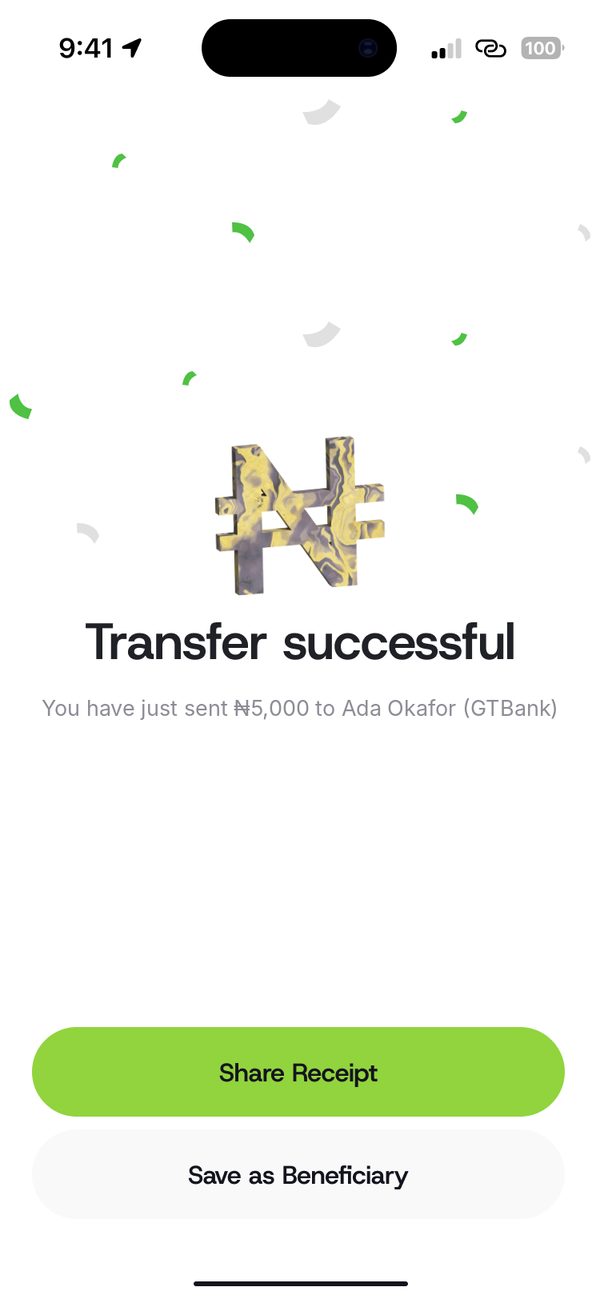
Save the person as a beneficiary for next time.
Your balance updates once the transfer lands.
The confirm screen shows the account name before you send.
Download an account statement any time.
Questions
Your balance updates once the bank transfer lands.
Your account only accepts deposits from bank accounts in your name. Third-party transfers are reversed.
Yes. The confirm screen shows the account name, number and bank.
Sign up, fund your wallet and make your first payment.
