
How to send money to a bank account
Short answer
Tap Withdraw, enter the account number and select the bank. Enter the amount, check the name and fee on the confirm screen, then tap Proceed. You can save the person as a beneficiary for next time.
Video guide coming soonFollow the steps below for now.
Step by step
Step 1
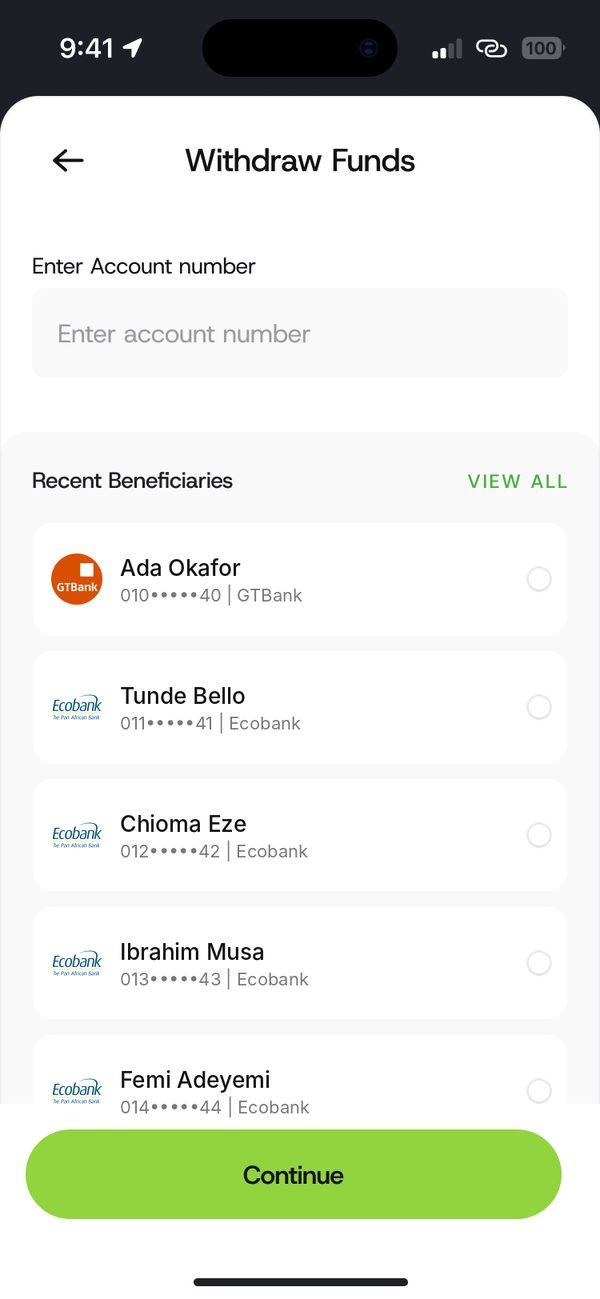
Enter the account number
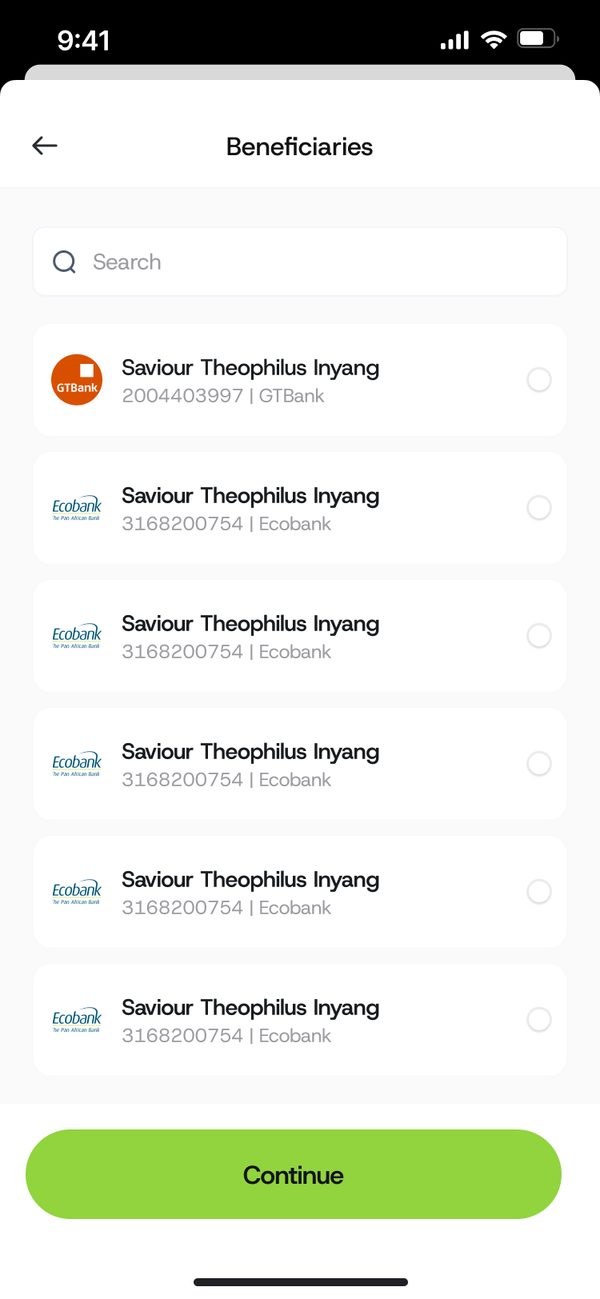
Type the account number, or pick someone from Recent beneficiaries.
Step 2
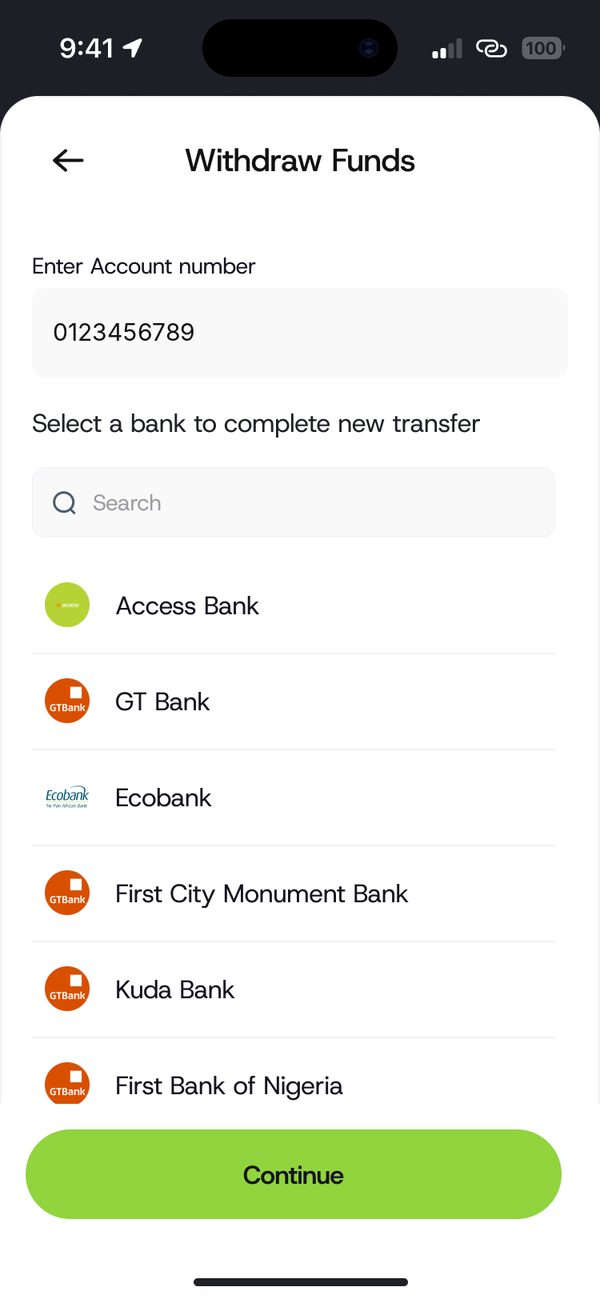
Select the bank
Choose the bank to complete the transfer.
Step 3
Enter the amount
Type or pick an amount. The app shows what the person will get.
Step 4
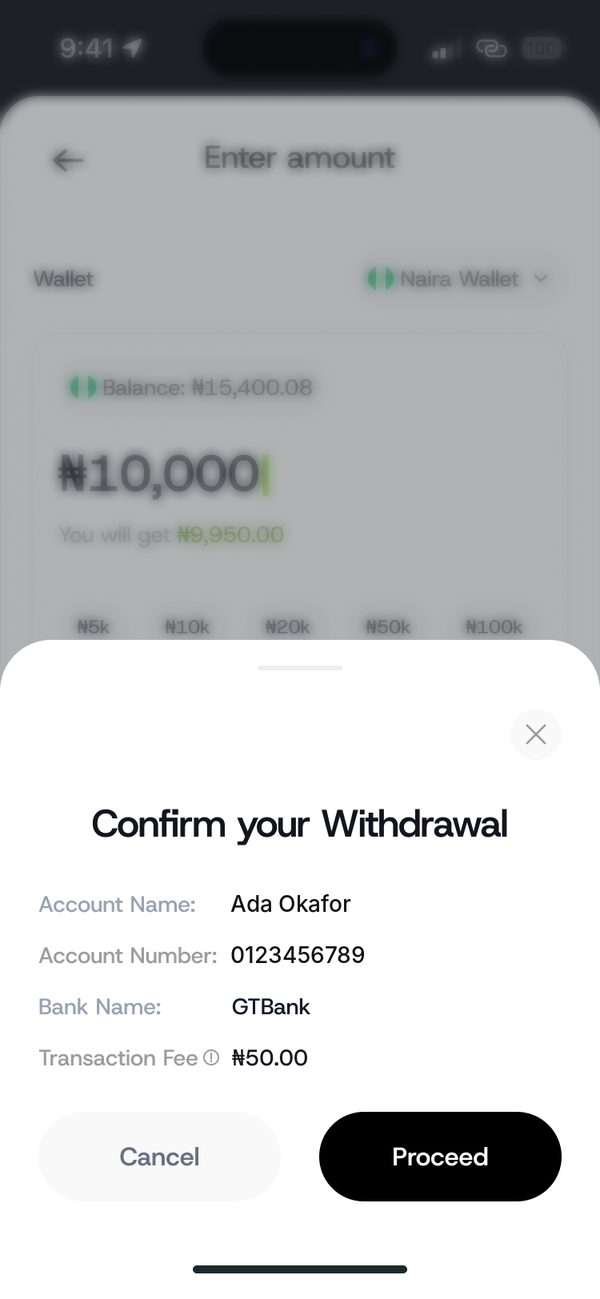
Confirm the details
Check the account name, number, bank and fee, then tap Proceed.
Step 5
Done
Transfer successful. Share the receipt or save the person as a beneficiary.

If something goes wrong
- No account found: check the number and bank, then try again.
Questions people ask
Can I see the account name before I send?
Yes. The confirm screen shows the account name, number and bank.
Was this article helpful?
Still need help?
Chat with us. A real person will pick it up.